Imagine trying to connect two puzzle pieces that don’t quite fit—without a simple adapter, the connection fails. That’s where media converters come in, bridging different network media types like fiber and copper to keep data flowing smoothly. They’re essential when expanding or upgrading networks, but knowing exactly when and why to use them can be tricky. Understanding their role can save you time and money in your infrastructure projects.
Key Takeaways
- Use media converters to seamlessly connect fiber optic and copper Ethernet networks without replacing existing infrastructure.
- They are ideal when extending network reach or upgrading performance over long distances.
- Employ media converters to enable quick, plug-and-play integration in mixed media environments.
- They help reduce costs by avoiding full system overhauls while supporting high-speed data transfer.
- Choose media converters for industrial or high-performance settings requiring reliable signal conversion and compatibility.

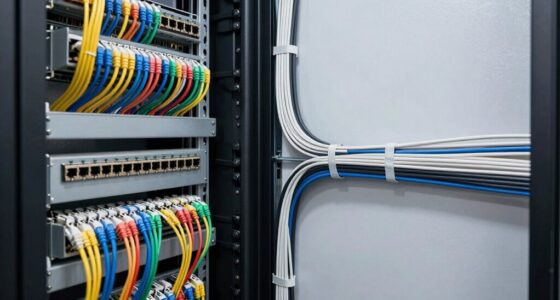
Media converters are vital devices that enable seamless communication between different types of network media, such as fiber optic and copper cables. When you’re managing a network that involves diverse infrastructure, these converters are your go-to solution for bridging the gap. They handle signal conversion efficiently, guaranteeing data flows smoothly from one medium to another without losing integrity or speed. For example, if your organization has an existing copper-based Ethernet setup but needs to connect to a fiber optic network for higher speed or longer distances, a media converter makes this possible without replacing your entire infrastructure.
Media converters facilitate smooth connection between fiber optic and copper networks efficiently.
In scenarios where fiber optic cabling is necessary for long-distance or high-bandwidth requirements, you’ll find media converters particularly useful. They specialize in signal conversion between copper and fiber optic cables, allowing you to extend your network reach or upgrade performance without overhauling your current setup. This flexibility is especially beneficial in environments like data centers, industrial settings, or campus networks, where different media types coexist. Instead of investing in costly new equipment, you can simply add a media converter at critical junctions, transforming signals into compatible formats.
Using a fiber optic media converter is straightforward, but understanding its role is key. It takes the electrical signals from copper cables and transforms them into light signals suitable for fiber optic transmission, or vice versa. This process involves converting the electrical signals into optical signals for fiber, which can travel much farther with less interference. When you connect a fiber optic cable to a device that only supports copper Ethernet, the media converter handles this vital signal conversion seamlessly, often with plug-and-play simplicity. This means you don’t need extensive technical knowledge to implement and maintain these devices, making them accessible even for smaller teams or less experienced IT staff.
Another important aspect to keep in mind is the compatibility and speed capabilities of your media converter. When selecting a device, guarantee it supports the required data rates and fiber types, such as single-mode or multi-mode fiber. This assures your network maintains peak performance without bottlenecks. Additionally, media converters can be powered by Power over Ethernet (PoE), which simplifies installation by eliminating the need for separate power supplies and reduces clutter. Moreover, some models are specifically designed to support Kia Tuning components, ensuring optimal integration with your existing systems and performance requirements.

TP-Link MC220L | Gigabit SFP to RJ45 Fiber Media Converter | Fiber to Ethernet Converter | Plug and Play | Durable Metal Casing | Versatile Compatibility | Auto-Negotiation | UL Certified
【Convert Fiber to Ethernet】Designed to convert 1000BASE-SX/LX fiber to 1000Base-T copper media or vice versa.
As an affiliate, we earn on qualifying purchases.
As an affiliate, we earn on qualifying purchases.
Frequently Asked Questions
Can Media Converters Support Wireless Connections?
Media converters don’t directly support wireless connections, but they facilitate wireless compatibility by converting signals between different formats. You use them to enable wired devices to connect with wireless networks through proper signal conversion. This means, while media converters don’t provide wireless features themselves, they help integrate wired infrastructure with wireless systems, ensuring seamless communication between wired and wireless devices. So, they’re essential for bridging the gap, not for wireless connectivity directly.
Are Media Converters Compatible With All Network Devices?
Media converters are generally compatible with most network devices, but your focus should be on fiber compatibility and device integration. You need to check if the media converter supports the specific fiber optic types your devices use. While they can bridge different network protocols, guarantee your devices connect properly through supported ports to avoid compatibility issues. This way, you ensure seamless network communication and proper device integration.
How Do Media Converters Affect Network Latency?
Media converters can slightly increase network latency because they introduce additional processing to convert signals, especially when using fiber optic connections. This signal delay is usually minimal, but in sensitive applications, it might impact performance. When you use fiber optic media converters, expect a tiny delay due to the conversion process, but overall, they help extend your network reach without markedly affecting your network’s speed or responsiveness.
What Are the Cost Differences Between Types of Media Converters?
You’ll find that cost differences between media converters vary based on features, build quality, and brand reputation. Higher-end models with advanced capabilities tend to cost more, while basic converters are budget-friendly. When considering your budget, compare costs carefully, factoring in long-term reliability and scalability. Balancing initial investment with future needs helps you make smarter choices, ensuring your network stays efficient without overspending.
Can Media Converters Be Used Outdoors?
Yes, you can use media converters outdoors. Look for models with outdoor durability and weather resistance to handle harsh conditions like rain, snow, and UV exposure. These converters are specifically designed to withstand extreme temperatures and moisture, ensuring reliable performance outside. Always verify the product specifications to confirm outdoor suitability, and consider additional protective enclosures for extra durability in challenging environments.

TRENDnet Industrial 10G SFP+ to 10G PoE++ Media Converter, TI-BF711SFP, Hardened IP50 Rated, NDAA & TAA Compliant for Government Use, Provides up to 95W, DIN-Rail and Wall Mounts Included
DEVICE INTERFACE: 1 x 10G RJ-45 PoE++ port (100Mbps/1Gbps/2.5Gbps/10Gbps); 1 x 10G SFP+ port (1Gbps/10Gbps); 3-Pin Terminal Block;…
As an affiliate, we earn on qualifying purchases.
As an affiliate, we earn on qualifying purchases.
Conclusion
Media converters are a smart choice when you need to extend your network, upgrade performance, or connect different media types without a complete overhaul. They’re easy to deploy and cost-effective, making them perfect for many environments. Think about your current setup—could a media converter help you achieve faster, more reliable connections? If you want seamless integration and future-proofing, then using media converters might just be the solution you’ve been looking for.

A Pair of 1.25G/s Bidi Gigabit Multi-Mode Fiber Ethernet Media Converter with 2PCS Bidi SFP LC Dual Transceiver Module Included, 10/100/1000Base-Tx to 1000Base-SX SMF RJ45 to SFP Slot up to 550M
What You Get: 2pcs Gigabit Multi-Mode Ethernet SFP Slot media converters; 2pcs SFP BiDi LC Dual Multi-Mode transceiver;…
As an affiliate, we earn on qualifying purchases.
As an affiliate, we earn on qualifying purchases.
TP-Link MC220L | Gigabit SFP to RJ45 Fiber Media Converter | Fiber to Ethernet Converter | Plug and Play | Durable Metal Casing | Versatile Compatibility | Auto-Negotiation | UL Certified
【Convert Fiber to Ethernet】Designed to convert 1000BASE-SX/LX fiber to 1000Base-T copper media or vice versa.
As an affiliate, we earn on qualifying purchases.
As an affiliate, we earn on qualifying purchases.