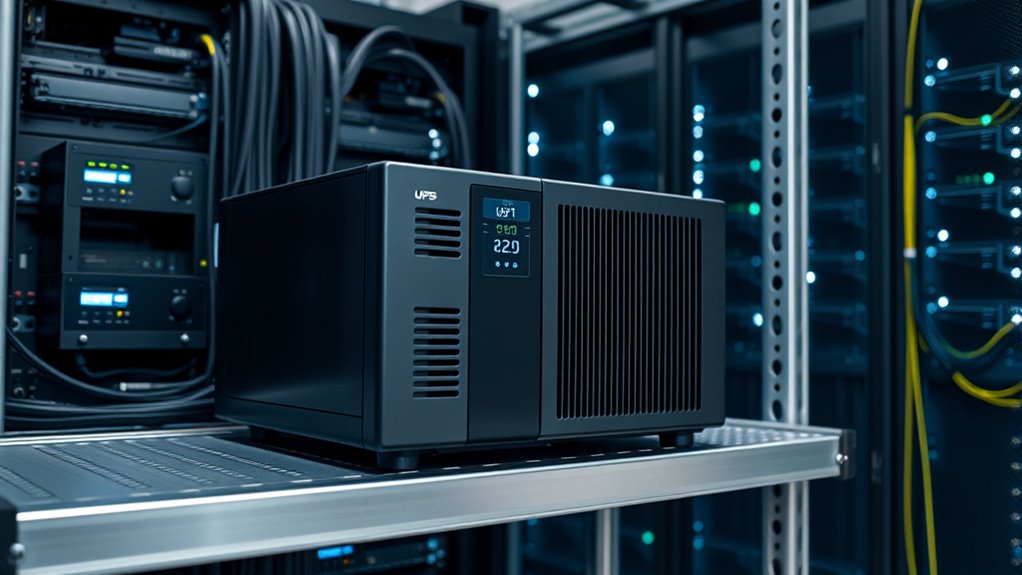

Imagine a small data center losing power during a storm, risking data loss and system crashes. Installing a reliable UPS system can prevent this, ensuring your network equipment stays online seamlessly. But simply having a UPS isn’t enough; proper maintenance and strategic setup are key to maximizing its benefits. Curious how to optimize your backup power solutions for continuous, dependable network performance?
Key Takeaways
- Select UPS units with sufficient capacity to handle the total power load of your network equipment.
- Ensure UPS provides clean, stable power to prevent data corruption and hardware damage.
- Incorporate regular battery maintenance and capacity testing to ensure reliable backup during outages.
- Use surge protection features to safeguard network devices from power surges and fluctuations.
- Monitor UPS performance continuously to detect issues early and maintain network uptime.

In today’s increasingly connected world, reliable power supply is essential for maintaining network equipment’s performance and uptime. When you rely on UPS systems, you’re ensuring that power interruptions won’t disrupt your critical operations. Proper battery maintenance becomes a cornerstone of this dependability, as the batteries are the heart of any UPS. Regularly inspecting the batteries, checking for corrosion, and testing their charge capacity help prevent unexpected failures. Neglecting battery maintenance can lead to reduced backup time, risking data loss or network downtime during outages. By staying proactive with battery checks, you enhance your UPS system’s trustworthiness and extend its lifespan.
Regular battery checks ensure UPS reliability and extend system lifespan.
Power distribution plays a crucial role in how effectively your UPS supports your network infrastructure. You want to guarantee that power flows smoothly and consistently to all connected devices. Proper power distribution involves not only the physical wiring but also the strategic placement of outlets and surge protection. When your UPS is configured correctly, it can handle load variations and prevent surges from damaging sensitive equipment. Using power distribution units (PDUs) with built-in surge suppression can further safeguard your network gear. This setup minimizes the risk of hardware malfunction caused by power fluctuations and ensures your network stays operational, even during electrical disturbances. Power management is essential for optimizing the efficiency and longevity of your UPS system.
Understanding the importance of battery maintenance and power distribution helps you optimize your UPS system’s performance. Regularly scheduled battery checks, including capacity tests and visual inspections, prevent surprises during power outages. You should also keep spare batteries on hand for quick replacements, avoiding extended downtime. On the power distribution front, ensure your wiring is neat, connections are secure, and that your UPS can handle the total load of your network devices. Properly balancing your power load not only improves efficiency but also reduces wear on your UPS components, increasing longevity. This careful attention to both battery health and power distribution guarantees your network equipment remains resilient under varying conditions.
In addition, consider implementing monitoring tools that track battery health and power distribution status in real-time. These systems alert you to potential issues before they escalate, allowing you to take corrective action swiftly. Maintaining an organized, well-documented maintenance schedule ensures ongoing reliability, saving costs and preventing unexpected failures. When you prioritize battery maintenance and optimize power distribution, you’re setting your network up for long-term stability and performance. It’s a proactive approach that minimizes risk, maximizes uptime, and keeps your critical operations running smoothly, regardless of electrical challenges.

CyberPower CP1500PFCRM2U PFC Sinewave UPS Battery Backup and Surge Protector, 1500VA/1000W, 8 Outlets, AVR, Short Depth 2U Rackmount, UL Certified
1500VA/1000W PFC Sine Wave Battery Backup Uninterruptible Power Supply (UPS) System designed to support active PFC and conventional…
As an affiliate, we earn on qualifying purchases.
As an affiliate, we earn on qualifying purchases.
Frequently Asked Questions
How Do I Determine the Right UPS Capacity for My Network?
To determine the right UPS capacity for your network, you need to perform a load calculation by adding up the power capacity of all your equipment. Make certain the UPS can handle this total load comfortably, ideally with some extra margin for future growth. Consider both the wattage and VA ratings, and choose a UPS that exceeds your current requirements to maintain reliable backup power during outages.
Can UPS Systems Protect Against Power Surges and Spikes?
Yes, UPS systems do protect against power surges and spikes. Think of them as the gatekeepers, blocking damaging power fluctuations before they reach your equipment. They offer surge protection that absorbs sudden voltage spikes, preventing harm to your network gear. Keep in mind, not all UPSs have this feature, so it’s wise to choose one with dedicated surge protection to keep your system safe and sound during power disturbances.
What Maintenance Is Required for Network UPS Units?
You need to regularly perform battery testing to guarantee your network UPS units stay reliable. Check the batteries’ health and replace them if they show signs of failure. Additionally, maintain proper cooling requirements to prevent overheating, which can damage the system. Keep the vents clear and ensure the environment is clean and well-ventilated. Routine inspections and maintenance help keep your UPS functioning at its best, safeguarding your network equipment effectively.
How Long Do UPS Batteries Typically Last?
Coincidences often remind us how unpredictable life is, much like UPS battery longevity. Typically, your UPS batteries last between three to five years, depending on usage and environmental conditions. You’ll want to monitor replacement cycles regularly, as aging batteries can lose capacity and compromise backup performance. By staying proactive with maintenance, you guarantee your network equipment stays protected when power outages strike, giving you peace of mind and uninterrupted operation.
Are There Eco-Friendly UPS Options Available?
Yes, eco-friendly UPS options are available. You can find models that prioritize renewable energy sources and improved energy efficiency, reducing environmental impact. These UPS systems often incorporate advanced battery technologies and energy-saving features, helping you lower your carbon footprint. By choosing such options, you support sustainable practices while ensuring reliable network equipment performance. Always look for certifications or specifications highlighting their eco-friendly design to make the best choice.

CCCEI Heavy Duty Power Strip Surge Protector 20 AMP, 8 Outlets 12 Gauge Industrial Shop Garage Metal Multiple Outlets, 6 FT Extension Cord 5-15P Adapter High Amp 6-20R T-Slot 20a for Appliance
Grey heavy duty power strip 20 amp switch with 8 outlets, overload and grounding protection. It comes standard…
As an affiliate, we earn on qualifying purchases.
As an affiliate, we earn on qualifying purchases.
Conclusion
By keeping your UPS systems well-maintained and monitored, you create a fortress of reliability around your network. Imagine your equipment protected like a lighthouse standing tall through stormy nights, guiding data safely to shore. With strategic placement, regular battery checks, and real-time oversight, you guarantee your network stays afloat during any power surge or outage. Stay proactive, and your system will shine bright, uninterrupted, no matter what the current throws your way.

APC Smart-UPS, SMT1500RM2UC 2U Rack Back-UPS, 1440 VA Backup Battery Power Supply, 6 x NEMA 5-15R, SmartConnect Port, SmartSlot, AVR, LCD Screen Bundled with 16GB USB Storage
Efficient Power Protection: The SMT1500RM2UC offers 1440VA/1000W of line interactive pure sine wave power in a 2U rackmount…
As an affiliate, we earn on qualifying purchases.
As an affiliate, we earn on qualifying purchases.

Power Distribution Unit (PDU) Secrets: What Everyone Who Works In A Data Center Needs To Know!
As an affiliate, we earn on qualifying purchases.
As an affiliate, we earn on qualifying purchases.