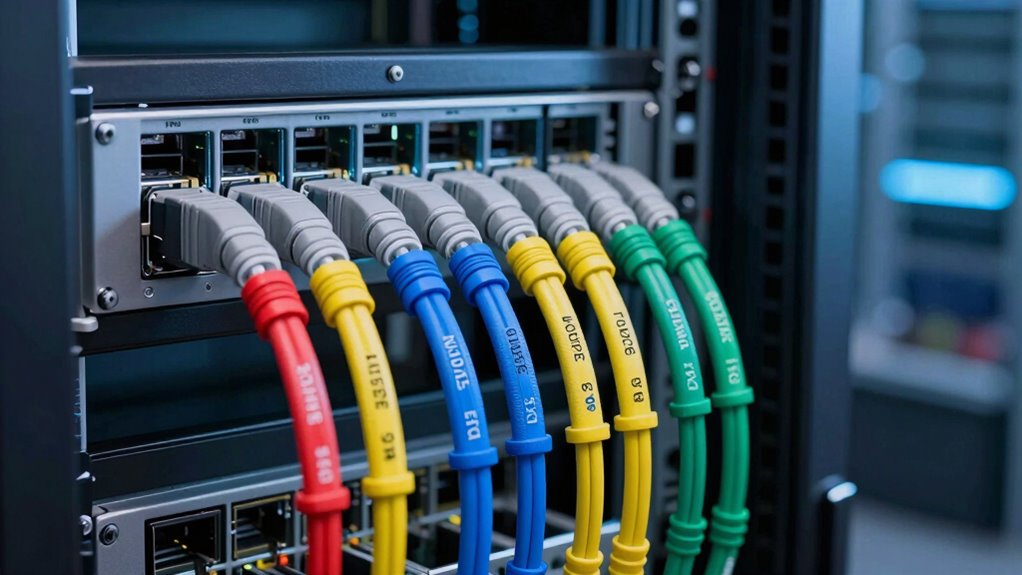

For cable labels for network documentation, I’d choose Mr-Label Self-Laminating Wrap Around Cable Labels as the best overall option because printed labels are protected by a clear layer and suit repeatable, readable records. Mr-Label Inkjet & Laser Printer Support Waterproof Cable Labels stand out for teams that want to print many consistent labels, while Wrap-It Storage Cable Labels, Medium, Multi-Color make quick color-coded identification simple. The main tradeoff is between durable, standardized printed labels and faster handwritten or color-based marking. Cable diameter, printer compatibility, and whether labels must survive handling or moisture also affect the choice. Read on for the full comparison and guidance on matching a label style to your documentation workflow.

Get business pricing on networking and server gear
- Business-only prices and quantity discounts
- Tax-exempt purchasing
- Multiple users, one account, clear invoices
Key Takeaways
- Self-laminating protection separates the strongest documentation pick: Mr-Label’s laser-only wrap-around sheets add a clear cover over the printed text, a useful advantage where labels may rub against neighboring cables.
- Printer compatibility is not interchangeable: the Mr-Label sheets include options for inkjet and laser printers, while the self-laminating version is laser-only, so buyers should check their office printer before choosing.
- Color helps locate cables, but it cannot replace readable identifiers: multicolor options from JIQEZNL, Wrap-It Storage, and other picks can support visual grouping, while written port or destination details provide more precise documentation.
- Bulk counts serve different workflows: 300– and 600-label printer sheets suit planned labeling projects, while smaller 30- or 36-piece wrap packs make more sense for modest changes or a limited number of cable runs.
- Attachment style changes the job: adhesive and wrap-around labels sit close to the cable, while the zip-tie style with plastic tags offers a separate marking surface but adds bulk around the bundle.


| cable labels for network documentation | Material | Quantity | Printer compatibility |
|---|---|---|---|
| 300 Pcs Cable Labels | Waterproof, tear-resistant paper | 300 labels | Laser printers |
| Wrap-It Storage Cable Labels | Nylon | 30 labels | — |
| Wrap-It Storage Cable Labels | Nylon | 30 labels | — |
| 60 Pieces White Cable Wire Lab | Nylon | 60 pieces | — |
| 270 PCS Tear Resistant Waterpr | Paper | 270 labels | Laser printer |
| 35-Piece Color-Coded Nylon Cab | Nylon | 35 labels | — |
| White Cable Labels | Flexible, waterproof, oil-proof, tear-resistant material | — | Laser printers |
| Cable Labels Wire Zip Ties | Nylon | 100 pieces | — |
| Trilancer Cable Cord Labels La | Plastic, polyester | — | — |
| 8 Sheet 240 Pcs Cable Labels f | Synthetic paper | 8 sheets, 240 labels total | Laser printers |
| Cable Labels | Waterproof, tear-resistant adhesive paper | — | Laser printers only |
| Mr-Label Inkjet & Laser Printe | Plastic | — | Inkjet and laser printers |
| Wrap-It Storage Cable Labels | Nylon | 36 | — |
| Mr-Label Self-Laminating Wrap | — | — | Laser printers only |
| Mr-Label Waterproof Cable Labe | Paper | 300 labels | Inkjet and laser printers |
More Details on Our Top Picks
300 Pcs Cable Labels, JIQEZNL Premium 10 Colors Wire Labels for Electrical and Cable Management
For network documentation built around color groups, the JIQEZNL 300-label set offers more color choices than the nine-color 270-piece option in this lineup. Its 10 bright colors can help distinguish cable types, destinations, or equipment zones at a glance, while the printable surface supports adding written identifiers. The waterproof, tear-resistant paper is suited to environments where labels may encounter moisture or routine handling. Compared with the reusable Wrap-It Storage Medium Multi-Color labels, this set gives you more labels and a printable format, but it is less convenient when a cable needs frequent relabeling: the adhesive tags are not designed to be moved and reused. Printer compatibility is specified for laser printers only, and careful handling may be needed to avoid smudging. I’d choose it for planned, color-coded cable records rather than frequently changing patch panels.
Pros:- Ten colors make it easier to create a visual identification system across cable groups.
- 300 labels provide a substantial supply for larger documentation projects.
- Laser-printable or handwritten surfaces support both batch labeling and one-off additions.
- Waterproof, tear-resistant paper is suited to routine handling and damp conditions.
Cons:- Laser printer compatibility is specified, but inkjet support is not.
- Printed labels may smudge if handled before they are ready.
- Adhesion may be less reliable on some cable surfaces.
Best for: Network installers and IT teams labeling many cables by department, cable type, or destination with a consistent color scheme.
Not ideal for: Teams that regularly move or rename cables, or anyone relying on an inkjet printer, since the labels are adhesive and laser compatibility is the only printer support specified.
- Quantity:300 labels
- Colors:Red, rose red, orange, yellow, blue, light blue, purple, light purple, green, and white
- Material:Waterproof, tear-resistant paper
- Format:10 sheets in 10 colors
- Printer compatibility:Laser printers
- Marking options:Printing or handwriting
- Applications:Cable management, electronics, network, and audio cables
Our verdict“Choose this set for high-volume, color-coded network records when printable adhesive labels fit your workflow better than reusable wraps.”
Wrap-It Storage Cable Labels, Medium, Multi-Color (30-Pack)
The Wrap-It Storage Medium Multi-Color set suits networks where cable assignments change and labels need to move with them. Its hook-and-loop closure avoids adhesive residue and lets you reopen a label when a cord is replaced or rerouted; the multiple colors add a quick visual cue alongside handwritten identification. Compared with the JIQEZNL 300-piece set, this is far less suited to labeling a large installation at once, but it is easier to revise and reuse. The tradeoff is capacity and permanence: 30 medium labels may not cover a dense rack, and the write-on surface requires a pen rather than batch printing. I’d favor these for small equipment areas, temporary layouts, or cables that are often reconnected, not for a fixed inventory that needs printed identifiers on every lead.
Pros:- Reusable hook-and-loop closures make label changes straightforward.
- Leaves no sticky residue on cables.
- Multiple colors support quick visual grouping.
- Write-on construction allows identification without a printer.
Cons:- A 30-piece pack may be insufficient for larger network installations.
- Medium size limits use on unusually thick or bundled cables.
- Handwritten labels are less suited to uniform, batch-printed documentation.
Best for: IT staff managing a small lab, home network, or test bench where cables are frequently moved and color cues help identify groups.
Not ideal for: Teams documenting hundreds of fixed cables or needing printed, standardized labels, since the pack contains 30 pieces and requires handwriting.
- Quantity:30 labels
- Size:Medium
- Color:Multi-color
- Material:Nylon
- Closure:Hook and loop
- Marking:Write-on; pen required
- Reuse:Reusable
Our verdict“Pick these reusable wraps for a small, changeable cable setup where easy updates matter more than label volume or print consistency.”
Wrap-It Storage Cable Labels – Medium, White (30-Pack)
For a consistent handwritten record without color-coding, the white Wrap-It Storage labels offer a clear writing area and a reusable closure. The specified 1.5 x 0.75-inch surface gives more room for a short cable ID than the product data provides for the multi-color Wrap-It version, making this a practical choice for port numbers or brief destination names. Like the multi-color Wrap-It set, it avoids adhesive residue and can be reopened as a cable’s role changes. Its single-color design, however, offers less at-a-glance grouping than that alternative, and the 30-piece quantity is modest beside the 300-label JIQEZNL set. I’d use these where a tidy, uniform appearance and legible pen marks matter more than printing, color categories, or coverage across a large rack.
Pros:- The 1.5 x 0.75-inch write surface accommodates short IDs and port references.
- Reusable hook-and-loop closure supports cable changes without adhesive residue.
- White labels provide a uniform appearance across a small setup.
- Designed for writing with a ballpoint pen.
Cons:- Only 30 labels are included, limiting coverage for larger installations.
- Single-color tags provide less visual grouping than the multi-color Wrap-It version.
- Handwriting is less consistent than batch-printed identification.
Best for: Home-network maintainers or small IT teams who want reusable, uniform white labels with space for short handwritten IDs.
Not ideal for: Large network deployments, color-coded cable plans, or teams that need printed labels and more than 30 tags.
- Quantity:30 labels
- Color:White
- Size:Medium
- Material:Nylon
- Write surface:1.5 x 0.75 inches
- Shape:Rectangular
- Closure:Hook and loop
- Marking:Writable with a ballpoint pen
Our verdict“Choose this set for a small installation that needs reusable white tags with a defined writing area, not large-scale or color-coded records.”
60 Pieces White Cable Wire Label Cord Tags for Charger, Self Adhesive
Despite the title’s adhesive wording, the supplied product details describe nylon tags with a hook-and-loop closure, so the practical distinction is a reusable wrap rather than a conventional sticky label. At 3.54 x 0.79 inches, each tag provides a longer writing area than the medium Wrap-It labels, which can help when a network record needs a fuller device name or cable destination. The 60-piece quantity also exceeds the 30-piece Wrap-It packs, though it remains well below the JIQEZNL adhesive set’s 300 labels. Waterproof nylon suits routine handling, but identification is handwritten and the tags may not fit very thick cables. I’d pick these when readable, longer notes matter more than compactness or printer-based standardization; the product data does not specify printer compatibility.
Pros:- The 3.54-inch length offers more writing room than the medium Wrap-It label’s specified write surface.
- Waterproof nylon supports repeated handling.
- Hook-and-loop closure allows reuse without adhesive residue.
- 60-piece quantity covers more cables than either 30-piece Wrap-It pack.
Cons:- Manual writing makes consistent, uniform documentation slower than printing.
- The tag width and length may be awkward in dense cable bundles.
- Product details do not specify printer compatibility, and the tags may not fit very thick cables.
Best for: Technicians labeling a moderate number of cables by hand who need more room for longer names or destination notes.
Not ideal for: High-density patch panels, very thick cables, or teams that need compact printed labels and standardized batch output.
- Quantity:60 pieces
- Size:3.54 x 0.79 inches
- Material:Nylon
- Waterproof:Yes
- Color:White
- Closure:Hook and loop
- Marking:Writable with a ballpoint pen
Our verdict“Choose these for readable, handwritten cable details across a moderate installation, but skip them where space or print consistency is a priority.”
270 PCS Tear Resistant Waterproof Cable Labels in 9 Colors for Management
When environmental resistance matters alongside color coding, this 270-label, nine-color set stands out for its stated resistance to water, oil, and high temperatures. That makes it a better fit for cable records in garages, workshops, or automotive spaces than the Wrap-It Storage reusable nylon labels, which prioritize easy removal rather than those listed resistances. The 3.3 x 1-inch labels offer a defined format for handwritten or laser-printed identifiers, while nine colors support visual categories. Compared with the JIQEZNL set, it has 30 fewer labels and one fewer color, but its product details explicitly add oil and high-temperature resistance. The tradeoffs are laser-only printer compatibility and large A4 sheets that may be cumbersome for a small labeling task; on light backgrounds, a dark marker may also improve readability.
Pros:- Stated resistance to water, oil, and high temperatures suits harsher work areas.
- Nine colors make cable groups easier to distinguish visually.
- Labels can be laser-printed or handwritten.
- Tear-resistant material is designed to withstand routine handling.
Cons:- Printer compatibility is limited to laser printers in the supplied details.
- A4 sheets may be awkward for small, occasional labeling jobs.
- Handwritten text may need a dark marker for clear contrast.
Best for: Installers documenting cables in workshops, automotive areas, or other settings where labels may encounter water, oil, or heat.
Not ideal for: Inkjet users, small jobs where full-size sheets are inconvenient, or teams that need reusable tags as cable assignments change.
- Quantity:270 labels
- Colors:Red, orange, yellow, blue, light blue, purple, light green, green, and white
- Sheet size:210 x 297 mm
- Label size:3.3 x 1 inches
- Material:Paper
- Printer compatibility:Laser printer
- Marking options:Laser printing or handwriting
- Resistance:Water, oil, high temperature, and tearing
Our verdict“Choose this set for color-coded, adhesive cable records in tougher environments, provided laser printing and full-size sheets fit your workflow.”
35-Piece Color-Coded Nylon Cable & Cord Labels (7 Colors, 5 Each)
For network documentation that may need updates, this set’s reusable hook-and-loop fasteners are more flexible than the adhesive sheets in the 300-label White Cable Labels set. Remove and reposition a tag without leaving residue, then use its ink-proof surface to record a cable ID or destination. Seven colors can help distinguish cable groups at a glance, though the pack supplies only five tags in each color, so a large installation may quickly run short of a preferred color. The nylon tags are water-resistant and tear-resistant, making them a practical choice for changing home or small-office layouts. Compared with the Trilancer Large Size labels, this set offers more listed color variety but fewer labels overall. It is a poor fit for teams that need high-volume, printer-formatted identifiers.
Pros:- Reusable hook-and-loop attachment allows repositioning without adhesive residue.
- Seven colors support visual grouping of cable types or destinations.
- Ink-proof, water-resistant nylon surface supports durable handwritten notes.
- Tear-resistant construction suits labels that may be handled during maintenance.
Cons:- Only 35 tags are included, limiting coverage for larger networks.
- Just five tags per color makes it harder to maintain a consistent color scheme across many cables.
- No printer compatibility or label dimensions are provided, limiting planning for standardized layouts.
Best for: Home and small-office network owners who expect to move cables and want reusable, color-coded tags for a modest number of connections.
Not ideal for: Installers documenting large racks or standardized high-volume deployments, since the pack has only 35 tags and just five of each color.
- Brand:guuminsting
- Material:Nylon
- Quantity:35 labels
- Color variety:7 colors, 5 labels each
- Fastener:Hook-and-loop
- Shape:Rectangular
- Item weight:1.5 ounces
- Model number:CL1-7-35
Our verdict“Choose this set for a small, evolving network where removable, color-coded handwritten tags matter more than volume or printer-ready formatting.”
White Cable Labels, 300 Premium Wire Label Tags for Electronics
This pack is the better fit when network documentation depends on consistent, repeatable identifiers rather than reusable tags. Its 300 white labels and laser-printer compatibility let an office prepare batches of cable names, port references, or asset IDs on A4 sheets. The 3.31-by-1.02-inch format provides room for more information than a small handwritten tag, while the waterproof, oil-proof, tear-resistant material supports use indoors or outdoors. Compared with the 240-label, eight-color cable labels in this lineup, this option gives you more labels but less visual color coding. It also accepts laser printing only, not inkjet, and handwritten entries may need drying time. The stated 0.58-inch maximum cable diameter rules it out for thicker bundles or unusually large cords.
Pros:- 300 labels support larger labeling projects and replenishment needs.
- Laser-printable format makes consistent cable IDs easier to prepare in batches.
- Waterproof, oil-proof, and tear-resistant material is suited to varied environments.
- Label size provides space for readable identifiers and destination details.
Cons:- Not compatible with inkjet printers.
- Maximum stated cable diameter is 0.58 inch.
- Handwritten labels may require drying time before handling.
Best for: Network administrators and installers with access to a laser printer who need a large batch of uniform labels for standard cable documentation.
Not ideal for: Inkjet-only households or teams labeling cables wider than 0.58 inch, since printer compatibility and cable fit are limited.
- Material:Flexible, waterproof, oil-proof, tear-resistant material
- Label size:3.31 x 1.02 inches
- Sheet size:A4, 210 x 297 mm
- Label count:300
- Maximum cable diameter:0.58 inch
- Printer compatibility:Laser printers
- Use:Indoor and outdoor
Our verdict“Pick this pack when you need many uniform, laser-printed cable records and your cables fit within its stated diameter limit.”
Cable Labels Wire Zip Ties, Self-Locking Cord Markers with Waterproof Plastic Tags for Electrical Wiring and Ethernet Identification
Unlike sheet labels such as the 300 Premium White Cable Labels, these markers attach with a self-locking tie rather than wrapping around a cable as a printed tag. That makes them useful when you want a fixed identifier on an individual Ethernet or electrical lead and do not need to remove the label during routine changes. The waterproof plastic tag is suited to indoor or outdoor wiring, and the tie-on format can be faster to apply than preparing printed sheets. The tradeoff is less flexibility: the listed six-inch length supports cables up to 12 millimeters in diameter, but the tie is not described as reusable. The 80-pound tensile strength is listed, though the product is not positioned as a heavy-duty securing tie. Color information is also inconsistent: the description mentions multiple colors, while the specs list white.
Pros:- Self-locking tie format attaches directly to a cable without adhesive.
- Waterproof, heat-resistant plastic suits a range of wiring environments.
- 100-piece quantity supports labeling a moderate installation.
- Tag-and-tie design offers a distinct option from printable sheet labels.
Cons:- Six-inch length and 12-millimeter maximum diameter limit cable fit.
- The tie-on format is less convenient to reposition than reusable hook-and-loop tags.
- Color availability is unclear because the description and listed color spec differ.
Best for: Technicians who need quick, tie-on identification for individual Ethernet or electrical cables in fixed indoor or outdoor installations.
Not ideal for: Teams that frequently reroute cables, require reusable labels, or need larger-diameter cable markers beyond 12 millimeters.
- Length:6 inches
- Maximum diameter:12 millimeters
- Quantity:100 pieces
- Material:Nylon
- Tensile strength:80 pounds
- Listed color:White
- Attachment style:Self-locking cable tie
Our verdict“Choose these for fast, fixed tie-on identification on cables no wider than 12 millimeters, but skip them if labels need frequent repositioning.”
Trilancer Cable Cord Labels Large Size for Wire Organizing & Identification
The Trilancer labels suit documentation where a handwritten identifier needs room to stay legible. Their large rectangular format gives more writing area than compact tags, and the reusable, waterproof design avoids the residue associated with adhesive labels. Compared with the guuminsting 35-piece nylon set, Trilancer also provides 35 labels and multiple colors, but its larger size favors readable notes over compact placement. That extra area may be useful for recording both a cable name and destination, yet it can crowd thin patch cords or dense cable bundles. These labels require a pen or marker, so they are not the right pick for teams preparing uniform printed IDs across a rack. The product lists plastic and polyester construction, but does not provide dimensions or a specific attachment mechanism in the supplied details.
Pros:- Large writing area can accommodate more than a short cable ID.
- Reusable, waterproof construction supports repeated cable changes.
- No sticky residue keeps cable jackets clean.
- Multiple colors can help separate cable groups visually.
Cons:- Large format may not fit neatly on very small cables or crowded bundles.
- Requires a pen or marker; printer compatibility is not specified.
- The supplied product data does not state label dimensions or attachment details.
Best for: Small network teams and home lab owners who prefer writing cable names and destinations by hand on a larger, reusable tag.
Not ideal for: Technicians labeling very thin patch cables or dense racks, where large tags may take up too much space.
- Brand:Trilancer
- Material:Plastic, polyester
- Size:Large
- Number of labels:35
- Color:Multicolor
- Shape:Rectangular
- Style:Horizontal
- Warranty support:2-year product support
Our verdict“Choose Trilancer when readable handwritten notes matter more than a compact fit or printer-based standardization.”
8 Sheet 240 Pcs Cable Labels for Management
This set balances batch printing with quick visual grouping: 240 labels across eight colors let a network team assign colors to departments, cable types, or destinations while keeping identifiers legible. The 3.31-by-1.02-inch stickers match the format of the 300 Premium White Cable Labels, but this pack trades 60 labels of capacity for more color choices. Its synthetic-paper material is described as waterproof and tear-resistant, and labels can be printed with a laser printer or written on with pens and markers. That flexibility helps with small revisions after a print run, though the labels remain sheets rather than reusable tags. Like the 300-label alternative, these are not compatible with inkjet printers, so printer access is a deciding factor. Color variation from displayed shades may also complicate a carefully controlled scheme.
Pros:- Eight colors make it easy to create visual categories in network records.
- 240 labels provide substantial coverage for a small or midsize labeling project.
- Laser-printable and also writable with pens or markers.
- Waterproof and tear-resistant material is suited to indoor and outdoor use.
Cons:- Not compatible with inkjet printers.
- Sheet-based labels are not described as reusable or repositionable.
- Displayed color shades may differ from the actual labels.
Best for: IT staff with a laser printer who want color-coded, batch-prepared identifiers for separating network cable groups.
Not ideal for: Inkjet-only users or technicians who need removable, reusable labels instead of sheet-based stickers.
- Quantity:8 sheets, 240 labels total
- Sheet size:210 x 297 mm
- Sticker size:3.31 x 1.02 inches
- Colors:Pink, green, red, white, blue, orange, brown, yellow
- Material:Synthetic paper
- Printer compatibility:Laser printers
- Writing:Writable with pens or markers
- Not compatible:Inkjet printers
Our verdict“Choose this set for laser-printed, color-coded cable documentation; choose the 300-label white pack instead if capacity matters more than color variety.”
Cable Labels – 300 Waterproof Self-Adhesive Tags in 10 Colors (Laser Printer Compatible)
For network documentation that relies on visual zones, these labels stand out for combining ten colors with printable, self-adhesive tags. The color range can help distinguish switches, patch-panel destinations, or cable groups at a glance, while the 3.3-by-1-inch format leaves room for a useful identifier. Compared with the white Mr-Label Waterproof Cable Labels, this set makes color a built-in part of the labeling system rather than relying on printed text alone. Its waterproof, tear-resistant construction also suits areas where labels may encounter moisture or oil. The tradeoff is printer flexibility: these sheets are laser-only, unlike the Mr-Label option that supports inkjet too. Handwritten legends are possible, but dark markers may be needed for clear contrast on lighter colors.
Pros:- Ten colors make cable groups easier to distinguish visually.
- Waterproof and tear-resistant material suits demanding work areas.
- Supports laser printing and handwriting.
- Self-adhesive format attaches directly to cables or other surfaces.
Cons:- Not compatible with inkjet printers.
- Handwritten text may be hard to read without a dark marker.
- Color variation may be less suitable for documentation systems that require a consistent white label field.
Best for: Network installers and IT teams with a laser printer who want color-coded cable groups alongside printed identifiers.
Not ideal for: Inkjet-only households or teams that need a uniform white label surface for consistent printed network documentation.
- Brand:Sxlaonanhai
- Total labels:300
- Sheets:10
- Labels per sheet:30
- Sheet size:210 × 297 mm (A4)
- Label size:3.3 × 1 in
- Colors:Red, orange, yellow, blue, light blue, purple, light green, green, white, and black
- Printer compatibility:Laser printers only
- Material:Waterproof, tear-resistant adhesive paper
Our verdict“Choose this set if your network records use color as a quick visual cue and you have access to a laser printer.”
Mr-Label Inkjet & Laser Printer Support Waterproof Cable Label – Letter Sheet – Self-Adhesive & Durable with Print Tool (20 Sheets, 600 Labels, White)
With 600 white labels across 20 sheets, this is the high-volume choice for teams documenting many drops, patch leads, or equipment changes. Support for both inkjet and laser printers gives it wider office compatibility than the laser-only Sxlaonanhai 10-color set, and the included tool with 30 device icons can speed up common equipment labels. Its plastic construction is described as waterproof, tear-resistant, and oil-proof, making it a stronger fit for outdoor or utility-area identification than the paper-based Mr-Label 300-label option. The single-color format, however, puts all the organizational work on the printed legend; it cannot provide the immediate color grouping offered by Sxlaonanhai. The print tool also adds setup work, so it makes most sense when the larger batch and repeatable templates justify learning it.
Pros:- 600 labels support larger documentation projects.
- Works with both inkjet and laser printers.
- Plastic labels are described as waterproof, tear-resistant, and oil-proof.
- Print tool includes 30 common device icons.
Cons:- Only available in white, with no color-coded grouping.
- Learning the print tool may take setup time.
- Printed legends need to carry the full burden of distinguishing cable roles.
Best for: IT departments and network contractors producing repeated, printer-made labels for large cable inventories across mixed printer setups.
Not ideal for: Small home networks that need only a few labels or teams that depend on colored tags to identify cable groups quickly.
- Brand:Mr-Label
- Sheets:20
- Labels:600
- Color:White
- Material:Plastic
- Printer compatibility:Inkjet and laser printers
- Print tool:Includes 30 common device icons
- Model number:FBA_LA200320J
Our verdict“Pick this for large, repeatable labeling jobs where printer choice and durable white labels matter more than color coding.”
Wrap-It Storage Cable Labels – Oval, Multi-Color (36 Pack)
These reusable hook-and-loop tags suit small network setups where cable assignments change often and adhesive labels would need replacing. Write on each oval tag, wrap it around a cord, then reposition it when a patch lead moves; the closure also avoids sticky residue. That makes this a different kind of documentation aid from the printable Mr-Label sheets, which offer more space for standardized legends and larger batches. The multiple colors help separate a few cable groups, but the pack contains only 36 small tags measuring 1.19 by 0.63 inches. They are better for lightweight patch leads and home-office wiring than dense racks or permanent, detailed port records. I would skip them where cables are heavy, surfaces are very textured, or a fixed printed identifier is required.
Pros:- Reusable hook-and-loop closure accommodates cable changes.
- Write-on surface allows quick handwritten updates.
- Leaves no sticky residue on cables.
- Multiple colors help separate a small number of cable groups.
Cons:- Small label area limits detailed port or destination information.
- Pack of 36 is less suited to large network inventories.
- Designed for lightweight cables and may not work well on very textured surfaces.
Best for: Home-lab owners and small-office users who frequently rearrange lightweight patch cables and prefer reusable handwritten tags.
Not ideal for: Network teams documenting dense racks, heavy cables, or large inventories that need durable printed identifiers and consistent records.
- Brand:Wrap-It Storage
- Quantity:36
- Shape:Oval
- Size:1.19 × 0.63 in
- Color:Multi-color
- Material:Nylon
- Closure:Hook and loop
Our verdict“Choose these for a small, frequently rearranged cable set, not for permanent or high-density network documentation.”
Mr-Label Self-Laminating Wrap Around Cable Labels – Letter Sheet Laser Printer Only – for Wire Marking Identification (25 Sheets (800 Labels), White)
For network records that need to remain readable on the cable itself, the self-laminating wrap protects the printed legend beneath a clear overlayer. That is a practical advantage over the standard white Mr-Label waterproof labels: the text gets a physical protective cover rather than relying only on the label material. The pack supplies 800 labels across 25 letter sheets, and its stated 120°C heat resistance suits cable runs near warmer equipment. It is also more purpose-built for cable documentation than Wrap-It’s reusable oval tags, with a defined print area for identifiers. The fit is less universal, though: the stated cable diameter range is 6.1–12.1 mm, and printing requires a laser printer. Check cable diameter and printer type before choosing it.
Pros:- Clear over-laminate shields the printed identification area.
- 800 labels support substantial wiring and documentation work.
- Rated for temperatures up to 120°C.
- Specified for common Ethernet, power, and phone cable types.
Cons:- Compatible with laser printers only.
- Stated cable diameter range is limited to 6.1–12.1 mm.
- White labels do not provide color-coded cable grouping.
Best for: Network technicians labeling Ethernet, power, and phone cables in installations where protected printed legends and long-term readability matter.
Not ideal for: Users with inkjet-only printers, cable diameters outside the stated range, or a need for color-coded tags.
- Brand:Mr-Label
- Labels:800
- Sheets:25 US Letter sheets
- Label size:57.2 × 25.4 mm (2.25 × 1 in)
- Print area:25.4 × 19.1 mm (1 × 0.75 in)
- Cable diameter range:6.1–12.1 mm (0.24–0.48 in)
- Temperature resistance:Up to 120°C (248°F)
- Printer compatibility:Laser printers only
- Construction:Self-adhesive label with clear self-laminating overlayer
Our verdict“Select this when a laser-printed cable legend needs a protective laminate and the cable diameter fits the stated range.”
Mr-Label Waterproof Cable Labels for Inkjet & Laser Printers (10 Sheets, 300 Labels, White)
This 300-label pack offers a manageable way to create printed network identifiers without committing to the 600-label Mr-Label pack. It supports both inkjet and laser printers and includes the same style of print tool with 30 device icons, giving smaller teams a route to repeatable labels without relying solely on handwriting. Compared with the larger Mr-Label option, the smaller sheet count is easier to match to a home lab or a limited cable refresh; compared with Sxlaonanhai’s 10-color set, it keeps a consistent white background but loses color-based identification. The material is listed as paper, so despite the waterproof, tear-resistant, and oil-proof claims, it is not the plastic construction specified for the 600-label model. Printer finish may also affect results.
Pros:- Works with both inkjet and laser printers.
- Print tool includes 30 device icons.
- Waterproof, tear-resistant, and oil-proof features are specified.
- 300 labels suit smaller documentation projects.
Cons:- Paper material is less robust than the plastic construction listed for the 600-label Mr-Label pack.
- Uncoated finish may affect print quality on some printers.
- White-only labels offer no color-coded grouping.
Best for: Home-lab users and small offices that want printer-made white cable labels and do not need a large stock.
Not ideal for: Large IT teams needing hundreds of labels at a time or installations that favor plastic construction and protective over-lamination.
- Brand:Mr-Label
- Quantity:300 labels
- Sheets:10
- Color:White
- Material:Paper
- Printer compatibility:Inkjet and laser printers
- Features:Waterproof, tear-resistant, oil-proof, self-adhesive
- Print tool:Includes 30 device icons
- Model number:FBA_LA200320J
Our verdict“Choose this smaller pack for a modest printed-label project, but opt for the larger plastic Mr-Label pack for heavier ongoing use.”

How We Picked
I compared these 15 options for their usefulness in network documentation, not just general cord organization. The main criteria were whether the label offers room for a legible identifier, how it attaches to a cable, whether its materials or protective layers suit routine handling, and how readily it supports repeatable labeling across a rack or small office. I also considered color choices, pack size, and whether printer support is specified, since an incompatible sheet can disrupt an otherwise tidy labeling plan.
The ranking favors labels that can carry consistent, durable information and fit a structured workflow. That puts the self-laminating printer labels ahead for a documentation-focused setup, with general printer-compatible waterproof sheets close behind for batch production. Handwritten and color-coded wraps rank lower for large inventories but can be quicker and simpler for small jobs. Options without detailed material or printer information are best treated as practical organization aids rather than the first choice for long-term, standardized records.
| cable labels for network documentation | Printer compatibility |
|---|---|
| 300 Pcs Cable Labels | Laser printers |
| Wrap-It Storage Cable Labels | — |
| Wrap-It Storage Cable Labels | — |
| 60 Pieces White Cable Wire Lab | — |
| 270 PCS Tear Resistant Waterpr | Laser printer |
| 35-Piece Color-Coded Nylon Cab | — |
| White Cable Labels | Laser printers |
| Cable Labels Wire Zip Ties | — |
| Trilancer Cable Cord Labels La | — |
| 8 Sheet 240 Pcs Cable Labels f | Laser printers |
| Cable Labels | Laser printers only |
| Mr-Label Inkjet & Laser Printe | Inkjet and laser printers |
| Wrap-It Storage Cable Labels | — |
| Mr-Label Self-Laminating Wrap | Laser printers only |
| Mr-Label Waterproof Cable Labe | Inkjet and laser printers |
Factors to Consider When Choosing Cable Labels For Network Documentation
Good network labels do more than mark a cable: they help someone trace the connection later without guessing or unplugging the wrong lead. I’d plan the labeling system before choosing a pack, since the documentation format, cable layout, and maintenance routine all affect which label will work best.
Decide What Each Label Must Say
Choose an identifier format before printing or writing anything: examples include rack and patch-panel port, source and destination, or a unique cable ID linked to a spreadsheet. A short code can fit on a small label, but it only helps if the documentation key is easy to find and kept current. Avoid trying to put a full network path on a narrow wrap if the text will become too small to read. For a larger installation, a unique ID plus a separate record often scales better than long descriptions on every cable. For a small home network, a clear port name at each end may be simpler. The label format should match the way someone will actually trace a connection during maintenance.
Match the Label Style to the Cable and Rack
Check the label’s stated size against the cable diameter and the space around ports, bends, and cable combs. A large tag can be easier to read but may snag in a dense bundle or cover nearby connectors. A close-fitting wrap keeps the profile tidy, though its usable writing area may be limited. Measure a typical cable and test one label in the tightest part of the rack before labeling every run. Also check whether your documentation requires labels at both ends; one visible mark may not help when tracing a cable from the opposite side. Buying for the largest cable alone can leave slim patch leads with awkwardly oversized markers.
Choose Between Handwritten and Printed Identification
Handwritten labels are convenient for one-off changes, troubleshooting, and small cable counts, but handwriting can vary and become hard to scan in a crowded cabinet. Printer-ready sheets are better when many cables need the same format, spelling, and text size. Before ordering printed labels, check whether the product supports your printer type and whether your software can position text accurately on its sheet layout. A printer-compatible label is not automatically compatible with every template or feed path. Keep a small supply of blank labels for later changes, since a perfect batch system still needs a way to mark a new cable. The right choice depends on how often your inventory changes as much as how many cables you have today.
Treat Color as a Secondary Identifier
Color can speed visual searches by separating network roles, locations, or service types, but it should not carry the full meaning of the record. Use a written code alongside color so the system remains usable when lighting is poor, labels fade, or a cable is moved. Define the color key in your documentation and apply it consistently at both ends. Too many colors can make a scheme harder to remember than simple text labels. If several technicians maintain the same network, choose a small palette with clear meanings and record those meanings in the handoff notes. White labels offer a neutral surface for text, while multicolor packs favor quick visual grouping.
Plan for Handling, Moisture, and Label Wear
Think about where the cable will live: a protected office patch panel has different demands from a cable exposed to frequent handling, cleaning, or damp conditions. Waterproof wording and tear-resistant materials may help, but buyers should check the product details rather than assume every adhesive or printed surface has the same durability. Self-laminating labels add a protective layer over the text, which can be useful where cables rub together. Adhesive labels can be difficult to reposition after application, so test placement before committing to a full batch. For frequently moved patch leads, a replaceable marker or separate tag may be easier to maintain than a permanent wrap. Keep the label readable without forcing it onto a bend or connector latch.
Balance Batch Size Against Future Changes
A large label count can support a full installation, but only if the format and printer setup suit the job. Buying many sheets before testing one can leave you with a surplus of labels that do not fit your cable size or documentation template. Smaller packs are easier for a few repairs or a home network, while bulk sheets make sense when labeling a planned inventory in a single session. Leave room in your process for additions, removals, and renamed ports; outdated labels are worse than missing ones because they point to the wrong connection. Keep spare labels and update the network record at the same time as the physical mark. This small maintenance habit matters more than maximizing the initial label count.
Frequently Asked Questions
Are printer-ready labels worth choosing over handwritten cable tags?
Printed labels make the most sense when you need consistent text across many cables or want to follow a fixed naming format. They can also improve legibility in a dense rack, where small handwriting is hard to read. Handwritten tags are faster for a few additions or temporary changes and do not depend on a printer or template. If you choose printer sheets, confirm printer type and sheet layout before building your label file. For a mixed workflow, use printed labels for the main inventory and keep a few blank writable tags for later changes.
Should I label both ends of every network cable?
For cables that connect equipment across a rack, room, or patch panel, labeling both ends usually makes tracing faster from either side. Use the same unique identifier at both ends, or follow a documented source-to-destination format consistently. If the cable is very short and both connectors are always visible, one label may be enough, but that can change when equipment is moved. Avoid using different descriptions at each end unless your documentation explains the relationship clearly. A consistent two-end rule reduces guesswork during repairs and port changes.
Is a color-coded label system enough for network documentation?
No: color is useful as a quick visual cue, but it does not identify an individual cable or port on its own. Add readable text, such as a port code or cable ID, and record the meaning of each color in your network notes. Keep the palette small so technicians can remember it without checking a legend every time. Color-only schemes can also become confusing when cables are added or moved, or when someone cannot distinguish particular colors. Use color to speed up scanning, not as a substitute for a written identifier.
How do I choose between a wrap label and a cable tag with a tie?
A wrap label stays close to the cable and usually suits dense bundles where extra protrusions could catch or crowd nearby leads. A separate tag attached with a tie can provide a more visible marking surface, but it takes more space and may move around the cable. Consider how tightly the cables are packed, whether the marker needs to be seen from a particular angle, and whether cables are handled often. Check the size of the tag against the space near connectors and cable-management hardware. If the rack is crowded, test the style on one cable before marking the full bundle.
What should I check before ordering a large pack of cable labels?
First, verify that the label dimensions suit your cable diameter and leave enough room for readable text. For printer sheets, confirm inkjet or laser compatibility, the sheet format, and whether your software can align the text correctly. Review the attachment style and material claims against the cable’s environment and handling frequency. Then test a small batch on representative cables, including the tightest bend and most crowded area of your rack. This prevents waste from labels that are hard to read, too bulky, or awkward to apply. Keep the label naming scheme and network record ready before printing at scale.
Conclusion
For most buyers building structured network records, I’d pick Mr-Label Self-Laminating Wrap Around Cable Labels as the best overall choice, provided a laser printer fits the workflow. For best value in a larger print run, Mr-Label’s 20-sheet inkjet-and-laser option offers a substantial label supply and broad printer support; compare it with the 10-sheet version if you need fewer labels. Beginners managing a modest number of cables may prefer Wrap-It Storage Medium Multi-Color labels for straightforward visual grouping without setting up a print template. For quick small jobs, the 60-piece writable tags are a simple starting point, while buyers needing a separate, more visible marker can look at the zip-tie tag style. If your priority is water resistance with custom printed text, compare the printer-compatible waterproof sheets and confirm the exact printer type before buying. Match the label to your cable layout and documentation method, then test a few before marking the full network.
Fall Picks
fall essentials
As an affiliate, we earn on qualifying purchases.