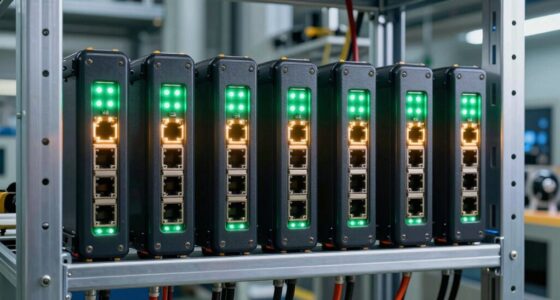
For a fiber optic switch for backbone networks, my best overall pick is the Alta Labs S12: its 12 SFP+ ports and multi-rate support suit a growing distribution layer better than small converter-style switches. The MokerLink 8-port 10Gbps SFP+ switch is a simpler, fanless alternative for a compact high-speed core, while the Harsh Outdoor 5-port switch fits harsh sites where temperature tolerance and a DIN-rail mount matter more than port density. The main tradeoffs are backbone capacity and management against simplicity, connector compatibility, and industrial durability. Read on for the full breakdown, including where each of the 10 options fits—and where it falls short.

Get business pricing on networking and server gear
- Business-only prices and quantity discounts
- Tax-exempt purchasing
- Multiple users, one account, clear invoices
Key Takeaways
- Alta Labs S12 is the strongest backbone-oriented choice in this lineup: 12 SFP+ ports and 1/2.5/5/10Gbps support give it more room for multi-rate fiber distribution than the smaller switches.
- MokerLink offers the clearest simple 10Gbps alternative: eight SFP+ ports and fanless, unmanaged operation favor a compact high-speed setup, but provide less control than a managed distribution switch.
- Most industrial options serve edge links, not a high-capacity core: several combine one SFP port with copper ports, so their port count should not be mistaken for backbone fiber capacity.
- Connector and fiber details narrow the field quickly: SC, ST, and LC connections are not interchangeable without compatible optics or adapters, and single-mode and multimode equipment must match the link.
- Temperature and mounting specs matter for remote installations: the Harsh Outdoor model lists a -40°C to 85°C range and DIN-rail mounting, while rack or desktop backbone sites may favor higher-density SFP+ models.
| MokerLink 8 Port 10Gbps SFP+ Switch |  | Best Overall for 10G Fiber Backbones | Ports: 8 SFP | Maximum data rate: 10Gbps | Supported module rates: 1G, 2.5G, and 10G | VIEW ON AMAZON | See Our Full Breakdown |
| E-link Mini Industrial 2-Port Gigabit Ethernet Switch with Fiber Optic Converter |  | Best for Compact Industrial Fiber Links | Ports: 2 RJ45 and 1 SFP | Ethernet rate: 10/100/1000Mbps | Fiber standard: 100/1000Base-X | VIEW ON AMAZON | See Our Full Breakdown |
| Alta Labs S12 12-Port SFP+ Distribution Switch |  | Best Managed Backbone Distribution | Ports: 12 SFP+ | Maximum port rate: 10Gbps | Listed data transfer capacity: 240 gigabytes per second | VIEW ON AMAZON | See Our Full Breakdown |
| 4-Port Managed Industrial Gigabit Ethernet Switch with Fiber Optic Support |  | Best for Managed Gigabit Industrial Rings | Ports: 4 total, including 2 SFP fiber ports | Maximum data rate: 1000Mbps | Switch type: Managed | VIEW ON AMAZON | See Our Full Breakdown |
| Heeucnon 8 SC Fiber Port Gigabit Ethernet Switch |  | Best for Fixed SC Fiber Runs | Fiber ports: 8 SC | Copper ports: 2 RJ45 | Port speed: 1000Mbps | VIEW ON AMAZON | See Our Full Breakdown |
| Industrial 5 Port Gigabit Switch, 4×RJ45 + 1×SFP Slot Ethernet Switch |  | Best Gigabit Pick for Compact Industrial Backbone Edges | Ports: 5 total: 4 RJ45 and 1 SFP | Port rate: 1 Gbps per port | Backplane bandwidth: 10 Gbps | VIEW ON AMAZON | See Our Full Breakdown |
| COMMFRONT Industrial 6-Port Unmanaged Ethernet Switch and Fiber Optic Converter |  | Best for Harsh Sites Using Multimode ST Fiber | Ports: 4 RJ45 Ethernet and 2 fiber optic | RJ45 speed: 10/100M | Fiber type: Multimode | VIEW ON AMAZON | See Our Full Breakdown |
| 10Gtek 5-Port Fast Ethernet Desktop Fiber Switch, 2 Ports Dual SC Fiber, 20 km |  | Best for Simple Long-Distance Single-Mode Links | Total ports: 5 | Fiber ports: 2 dual-SC ports | Fiber speed and reach: 100 Mbps, up to 20 km | VIEW ON AMAZON | See Our Full Breakdown |
| COMMFRONT Industrial 6-Port Unmanaged Ethernet Switch and Fiber Optic Converter, Single-Mode, ST Connectors | | Best for Long Single-Mode ST Runs in Industrial Sites | Ports: 6 total: 4 RJ45 and 2 fiber | RJ45 speed: 10/100M | Fiber mode and connector: Single-mode, ST | VIEW ON AMAZON | See Our Full Breakdown |
| Harsh Outdoor 5-Port Gigabit Ethernet Fiber Converter, Industrial DIN-Rail Network Switch, 100/1000Base-T to LC, Up to 20KM (with SFP Transceiver), IP40, Extreme Heat -40°C to 85°C |  | Best Gigabit Choice for Extreme Temperatures | Ports: 5 total: 4 RJ45 and 1 SFP uplink | Ethernet rate: 100/1000Base-T | Fiber interface: LC, with SFP transceiver | VIEW ON AMAZON | See Our Full Breakdown |
| fiber optic switch for backbone | Ports | Switch type | Mounting |
|---|---|---|---|
| MokerLink 8 Port 10Gbps SFP+ S | 8 SFP | Unmanaged | — |
| E-link Mini Industrial 2-Port | 2 RJ45 and 1 SFP | Unmanaged | DIN rail |
| Alta Labs S12 12-Port SFP+ Dis | 12 SFP+ | Managed | — |
| 4-Port Managed Industrial Giga | 4 total, including 2 SFP fiber ports | Managed | DIN rail |
| Heeucnon 8 SC Fiber Port Gigab | — | — | — |
| Industrial 5 Port Gigabit Swit | 5 total: 4 RJ45 and 1 SFP | — | DIN rail |
| COMMFRONT Industrial 6-Port Un | 4 RJ45 Ethernet and 2 fiber optic | — | DIN rail |
| 10Gtek 5-Port Fast Ethernet De | — | Unmanaged | — |
| COMMFRONT Industrial 6-Port Un | 6 total: 4 RJ45 and 2 fiber | — | — |
| Harsh Outdoor 5-Port Gigabit E | 5 total: 4 RJ45 and 1 SFP uplink | — | DIN rail |
More Details on Our Top Picks
MokerLink 8 Port 10Gbps SFP+ Switch
For a backbone built around multiple high-speed fiber links, I rank the MokerLink 8-port SFP+ switch ahead of the smaller industrial switches here because all eight ports support up to 10Gbps, with compatibility for 1G and 2.5G modules as well. Its stated 160Gbps bandwidth gives several links room to carry traffic without making this a managed aggregation platform. That distinction matters: plug-and-play operation and a fanless metal case suit a quiet server room or office, but there are no VLAN or traffic-control features listed. Compared with the managed Alta Labs S12, MokerLink is simpler and has fewer ports; compared with the 4-Port Managed Industrial switch, it offers much faster SFP+ links but less network control. I’d choose it for straightforward 10G aggregation, provided I’m prepared to source compatible modules separately.
Pros:- Eight SFP+ ports support links up to 10Gbps
- Supports 1G, 2.5G, and 10G SFP modules for mixed-speed connections
- Fanless metal construction supports quiet placement
- Plug-and-play setup avoids configuration overhead
Cons:- Unmanaged design lacks VLAN and other traffic-management controls
- SFP modules are not included
- One-year warranty is shorter than the Alta Labs S12’s stated limited two-year warranty
Best for: Small server rooms and office networks that need several 10Gbps SFP+ backbone links without switch configuration.
Not ideal for: Networks that require VLAN segmentation, traffic policies, or included optical modules; this is unmanaged and modules are sold separately.
- Ports:8 SFP
- Maximum data rate:10Gbps
- Supported module rates:1G, 2.5G, and 10G
- Switch type:Unmanaged
- Switching bandwidth:160Gbps
- Cooling and case:Fanless metal case
- Power input:12V DC
- Weight:0.87kg
- Warranty:1 year
Our verdict“Choose the MokerLink when you need quiet, unmanaged 10G fiber aggregation across several links and can provide your own SFP+ modules.”
E-link Mini Industrial 2-Port Gigabit Ethernet Switch with Fiber Optic Converter
I’d place the E-link Mini Industrial switch in a control cabinet or other industrial spot where dependable copper-to-fiber conversion matters more than backbone capacity. Its two gigabit RJ45 ports and one SFP slot make it a compact way to extend a small connection over fiber, while DIN-rail mounting, aluminum housing, and a 12–48V DC input suit installations with varied power arrangements. The stated 75°C maximum operating temperature also gives it a clearer industrial role than the desktop-oriented MokerLink, though it does not approach that model’s 10Gbps links or eight-port scale. Unlike the managed 4-Port Industrial switch, this E-link is unmanaged, so setup is simpler but VLAN, QoS, and ring-management features are absent. I’d skip it for a central backbone and use it at a remote endpoint instead.
Pros:- DIN-rail mounting and aluminum case suit cabinet installations
- Wide 12–48V DC input fits varied industrial power systems
- One SFP slot supports a fiber uplink
- Auto-sensing, plug-and-play setup keeps deployment simple
Cons:- Only two RJ45 ports limit the number of connected copper devices
- Gigabit maximum is far below the MokerLink and Alta Labs 10G options
- Unmanaged operation provides no listed VLAN or QoS controls
Best for: Industrial installers connecting a small number of gigabit copper devices to a fiber run in a DIN-rail cabinet.
Not ideal for: Backbone operators needing 10Gbps throughput, several fiber uplinks, or managed VLAN and redundancy controls.
- Ports:2 RJ45 and 1 SFP
- Ethernet rate:10/100/1000Mbps
- Fiber standard:100/1000Base-X
- Switch type:Unmanaged
- Power input:12–48V DC
- Maximum power:5W
- Mounting:DIN rail
- Maximum temperature:75°C
- Case material:Aluminum
Our verdict“Pick the E-link for a compact industrial fiber extension, not as the high-capacity core of a backbone.”
Alta Labs S12 12-Port SFP+ Distribution Switch
When a backbone needs both dense 10G fiber connectivity and traffic controls, the Alta Labs S12 is the strongest fit in this group. It has 12 SFP+ ports and management features including VLAN stacking, rate limiting, and IGMP snooping, which give an administrator ways to separate traffic and manage multicast instead of relying on a basic unmanaged link layer. Cloud or Bluetooth setup offers deployment flexibility, though this is not a set-and-forget choice for someone who wants the MokerLink’s simple plug-and-play approach. The S12 also lists up to 35W power use and has no built-in PoE, so it won’t power connected devices directly. Compared with the MokerLink, it adds four ports and management but asks for more network expertise; compared with the gigabit industrial models, it targets a much faster, less rugged distribution role.
Pros:- Twelve SFP+ ports support up to 10Gbps per port
- VLAN stacking, rate limiting, and IGMP snooping add useful traffic controls
- Cloud and Bluetooth management provide flexible setup options
- Listed 240Gbps transfer capacity matches a high-bandwidth distribution role
Cons:- Management features require more networking knowledge than the unmanaged MokerLink
- No built-in PoE for powering access devices
- Twelve ports may not cover very large aggregation sites
Best for: Network administrators building a managed 10G distribution layer who need multiple SFP+ links and VLAN or multicast controls.
Not ideal for: Small plug-and-play networks, industrial DIN-rail deployments, or setups that require PoE from the switch.
- Ports:12 SFP+
- Maximum port rate:10Gbps
- Listed data transfer capacity:240 gigabytes per second
- Switch type:Managed
- Management:Cloud and Bluetooth
- Listed features:VLAN stacking, rate limiting, and IGMP snooping
- Maximum power:35W
- Dimensions:13.03 × 9.01 × 1.73 inches
- Warranty:Limited two-year warranty
Our verdict“Choose the Alta Labs S12 when managed controls and 12 SFP+ connections matter more than plug-and-play simplicity or PoE.”
4-Port Managed Industrial Gigabit Ethernet Switch with Fiber Optic Support
The 4-Port Managed Industrial switch is a better match for a rugged gigabit network that needs control and fiber redundancy than for a high-throughput data-center backbone. Its two SFP ports and managed features—VLAN, QoS, and ERPS—can help organize traffic and support ring-style recovery, while DIN-rail mounting and IP40 protection suit industrial cabinets. That makes it more capable for local network management than the E-link Mini, which is unmanaged, but both remain gigabit-class devices rather than alternatives to the 10G MokerLink or Alta Labs S12. One topology limitation deserves attention: the product does not support STP, so I would confirm its ERPS behavior matches the intended design before rollout. The power adapter is not included, adding a provisioning task. This is a specialized industrial access or ring switch, not a general high-capacity core.
Pros:- Two SFP ports provide fiber connectivity
- VLAN and QoS support offer more control than the unmanaged E-link Mini
- ERPS support fits compatible industrial ring designs
- DIN-rail mounting and IP40 protection suit cabinet use
Cons:- Gigabit maximum is substantially below the MokerLink and Alta Labs 10G switches
- Does not support STP, which can rule out some network topologies
- Power adapter is not included
Best for: Industrial network teams needing managed gigabit ports, SFP fiber connections, and ERPS support in a DIN-rail installation.
Not ideal for: Backbone deployments needing 10Gbps links, STP-based topology, or a ready-to-connect package with power adapter included.
- Ports:4 total, including 2 SFP fiber ports
- Maximum data rate:1000Mbps
- Switch type:Managed
- Listed network features:VLAN, ERPS, and QoS
- Mounting:DIN rail
- Case material:Copper
- Warranty:1 year manufacturer
Our verdict“Choose this model for managed, ERPS-capable gigabit industrial networking, not for a 10G backbone core.”
Heeucnon 8 SC Fiber Port Gigabit Ethernet Switch
The Heeucnon 8F2E stands apart from the SFP-based switches here by offering eight built-in SC fiber ports and two RJ45 ports. That fixed connector arrangement can simplify a site already wired for SC, but it is less adaptable than the MokerLink’s SFP+ slots or the Alta Labs S12’s SFP+ distribution design: connector type and gigabit speed limit how easily it fits a changing backbone. It supports 1000Mbps switching, auto-MDIX, and status lights, with an AC 100–240V supply listed. The product data gives little detail about management, so I would treat it as a basic fiber aggregation or access device, not a configurable core switch. Its plastic case also makes the industrial-grade claim less reassuring than the metal DIN-rail options. Confirm the fiber requirements match its SC ports before choosing it.
Pros:- Eight SC fiber ports support multiple fixed fiber connections
- Two RJ45 ports provide copper Ethernet connectivity
- Auto-MDIX and status lights simplify basic installation and checks
- AC 100–240V power input suits common mains supplies
Cons:- Gigabit speed cannot match the 10G SFP+ MokerLink or Alta Labs S12
- Fixed SC ports offer less connector flexibility than SFP-based switches
- Management capabilities and several technical details are not specified
Best for: Installers with existing SC-terminated gigabit fiber runs who need several fixed fiber connections and a pair of copper ports.
Not ideal for: Backbone planners seeking 10G capacity, SFP flexibility, advanced management, or a clearly specified rugged metal enclosure.
- Fiber ports:8 SC
- Copper ports:2 RJ45
- Port speed:1000Mbps
- Switching:Wire-speed switching
- Duplex support:Full duplex IEEE 802.3x and half-duplex back pressure
- Port feature:Auto port flipping (Auto/MDIX)
- Power supply:AC 100–240V
- Material:Plastic
- Weight:690g
Our verdict“Pick the Heeucnon for a fixed SC-based gigabit network, but choose an SFP+ model for a scalable 10G backbone.”
Industrial 5 Port Gigabit Switch, 4×RJ45 + 1×SFP Slot Ethernet Switch
For a compact industrial backbone edge, this switch pairs four Gigabit RJ45 ports with an SFP uplink, giving a small cell or cabinet a fiber path without dropping local copper devices to Fast Ethernet. Its 10 Gbps backplane and 14.88 Mpps forwarding rate suit traffic across its five ports, though this is still an access switch rather than a high-port-count backbone core. Compared with the COMMFRONT ST-fiber models, it supports Gigabit copper and uses an SFP slot instead of fixed ST connectors; that flexibility comes with the need to source a compatible SFP module. Dual 12–48 V DC inputs, DIN-rail mounting, and a -40°C to 75°C rating favor sites where power continuity and temperature tolerance matter. Skip it if you need PoE, many ports, or managed controls.
Pros:- Four Gigabit RJ45 ports retain full-speed copper access at a compact site.
- SFP slot supports a fiber uplink and allows module choice.
- Dual 12–48 V DC inputs add power-path redundancy.
- IP40 aluminum housing and -40°C to 75°C operating range suit harsh cabinets.
Cons:- Only four copper ports may constrain expansion.
- No PoE or managed networking features are specified.
- Requires a compatible SFP module, adding a sourcing and compatibility step.
Best for: Industrial installers connecting a few Gigabit copper devices to a fiber backbone in a DIN-rail cabinet with redundant DC power available.
Not ideal for: Teams needing PoE cameras, managed VLAN or redundancy controls, or more than four local copper connections.
- Ports:5 total: 4 RJ45 and 1 SFP
- Port rate:1 Gbps per port
- Backplane bandwidth:10 Gbps
- Packet forwarding rate:14.88 Mpps
- Power input:Dual 12–48 V DC
- Operating temperature:-40°C to 75°C
- Housing:IP40 aluminum case with 6 kV lightning protection
- Mounting:DIN rail
Our verdict“Choose this for a small industrial fiber edge that needs Gigabit copper and redundant DC inputs, not for a managed or PoE backbone.”
COMMFRONT Industrial 6-Port Unmanaged Ethernet Switch and Fiber Optic Converter
This COMMFRONT unit fits a particular industrial niche: multimode fiber with ST connectors, four copper links, and a wide operating range from -40°C to 85°C. Its redundant power supply and alarm relay output are useful where operators need a local signal if power fails. The tradeoff is speed: its RJ45 ports are 10/100M only, making it a weaker backbone choice than the Gigabit Industrial 5 Port switch or the Harsh Outdoor 5-Port Gigabit model. Fixed ST interfaces also make it less adaptable than an SFP-based uplink when fiber type or connector standards vary across sites. I’d shortlist it for legacy industrial equipment and multimode ST runs, but not for new links carrying substantial traffic or requiring Gigabit throughput.
Pros:- Two multimode fiber ports with ST connectors suit compatible installed cabling.
- Four RJ45 ports provide local copper connections.
- Redundant power and an alarm relay support fault monitoring.
- Operating range reaches -40°C to 85°C, with surge and overload protection specified.
Cons:- 10/100M Ethernet limits capacity for modern backbone traffic.
- Fixed multimode ST interfaces are less flexible than SFP uplinks.
- Unmanaged operation offers no stated VLAN or traffic-control features.
Best for: Industrial maintenance teams extending a legacy 10/100 network over existing multimode ST fiber in a high-temperature or electrically noisy setting.
Not ideal for: Backbone builders who need Gigabit links, single-mode reach, flexible SFP selection, or managed network controls.
- Ports:4 RJ45 Ethernet and 2 fiber optic
- RJ45 speed:10/100M
- Fiber type:Multimode
- Fiber connectors:ST
- Operating temperature:-40°C to 85°C
- Power:Redundant power supply
- Alarm output:Power alarm relay output
- Mounting:DIN rail
Our verdict“Pick this only when a harsh site’s existing network calls for 10/100 Ethernet and multimode ST fiber rather than Gigabit backbone capacity.”
10Gtek 5-Port Fast Ethernet Desktop Fiber Switch, 2 Ports Dual SC Fiber, 20 km
The 10Gtek makes a straightforward point-to-point extension easier: its two 100 Mbps single-mode fiber ports are specified for up to 20 km, and three 10/100 RJ45 ports serve nearby devices. Auto-negotiation and LED indicators keep setup and basic link checks approachable without management configuration. That simplicity is also its limit for a backbone role. Unlike the Industrial 5 Port Gigabit switch, it has no Gigabit copper ports; unlike the Harsh Outdoor 5-Port Gigabit model, the listed fiber link is 100 Mbps rather than Gigabit. The desktop format suits a controlled indoor location, but the product data does not specify rugged environmental protection or redundant power. I’d choose it for a modest legacy link, not a growing or high-throughput backbone.
Pros:- Specified single-mode fiber reach of up to 20 km supports distant links.
- Two dual-SC fiber ports offer fiber connectivity alongside three copper ports.
- Unmanaged operation and auto-negotiation keep setup simple.
- LED indicators provide a quick visual check of link status.
Cons:- Fiber and Ethernet ports are limited to 100 Mbps.
- No advanced management features are specified.
- Desktop design lacks stated industrial temperature and redundant-power provisions.
Best for: Small offices or installers extending a low-bandwidth 10/100 connection over an existing single-mode SC fiber run up to 20 km.
Not ideal for: Backbone deployments needing Gigabit throughput, industrial temperature tolerance, redundant power, or managed monitoring.
- Total ports:5
- Fiber ports:2 dual-SC ports
- Fiber speed and reach:100 Mbps, up to 20 km
- Fiber type:Single-mode, 1310 nm
- Ethernet ports:3 RJ45, 10/100 Mbps
- Ethernet cabling:Cat.5/5e UTP or STP, up to 100 m
- Switch type:Unmanaged
- Status indicators:LED indicators
Our verdict“Choose this for a simple, long single-mode link where 100 Mbps is sufficient, but use a Gigabit industrial switch for backbone growth.”
COMMFRONT Industrial 6-Port Unmanaged Ethernet Switch and Fiber Optic Converter, Single-Mode, ST Connectors
Where long single-mode runs and existing ST cabling define the job, this COMMFRONT model offers a distinct fit: it lists two full-duplex single-mode fiber ports, support for daisy-chain and star layouts, and reach up to 25 miles. Four 10/100 RJ45 ports handle local equipment, while redundant power and metal construction target industrial installations. Compared with the 10Gtek desktop switch, its stated fiber reach is longer and its enclosure is aimed at harsher sites; the 10Gtek, however, offers a simpler desktop format and explicitly lists 20 km fiber performance. Neither is a Gigabit backbone choice, and this COMMFRONT unit is unmanaged, so it lacks stated VLAN or traffic controls. Check the 12 V DC supply and ST connector compatibility before selecting it.
Pros:- Single-mode fiber is specified for distances up to 25 miles.
- Daisy-chain and star fiber configurations support different site layouts.
- Redundant power supplies and metal construction suit industrial installations.
- Auto-negotiation and auto-crossover simplify basic connection setup.
Cons:- RJ45 links are limited to 10/100M, restricting backbone capacity.
- Unmanaged design lacks stated VLAN, QoS, or other network controls.
- Requires 12 V DC power, and the supply may need to be sourced separately.
Best for: Industrial operators extending a 10/100 network across long single-mode ST fiber runs and using daisy-chain or star cabling.
Not ideal for: New backbone builds requiring Gigabit throughput, SFP flexibility, managed controls, or a clearly specified bundled power supply.
- Ports:6 total: 4 RJ45 and 2 fiber
- RJ45 speed:10/100M
- Fiber mode and connector:Single-mode, ST
- Fiber reach:Up to 25 miles
- Fiber operation:Full duplex
- Fiber configurations:Daisy-chain and star
- Power:12 V DC; redundant power supplies
- Case material:Metal
Our verdict“Select this for a long single-mode ST link in a 10/100 industrial network, not for a high-throughput or managed backbone.”
Harsh Outdoor 5-Port Gigabit Ethernet Fiber Converter, Industrial DIN-Rail Network Switch, 100/1000Base-T to LC, Up to 20KM (with SFP Transceiver), IP40, Extreme Heat -40°C to 85°C
For an outdoor or industrial edge where both temperature range and Gigabit access matter, this model combines four Gigabit RJ45 ports with an LC fiber uplink rated for up to 20 km when used with an SFP transceiver. Its -40°C to 85°C operating range exceeds the Industrial 5 Port Gigabit switch’s upper limit by 10°C, making it the stronger fit for hotter installations. Both use DIN-rail mounting and redundant power inputs, but this model’s transceiver requirement means buyers need to confirm the included SFP arrangement and fiber compatibility; the title specifies a transceiver, while the product data describes the link as “with SFP transceiver.” It is a basic unmanaged switch, so choose it for durable Gigabit connectivity rather than control features.
Pros:- Four Gigabit Ethernet ports support higher-throughput local connections.
- Single-mode fiber link is specified for up to 20 km with an SFP transceiver.
- Wide -40°C to 85°C operating range suits hotter industrial sites.
- DIN-rail design and redundant power inputs support industrial deployment.
Cons:- Basic switching is not a substitute for managed VLAN or traffic controls.
- Fiber operation depends on compatible SFP and LC components.
- A separate power supply is required, and the supplied power arrangement is not clearly detailed.
Best for: Industrial and outdoor network installers who need four Gigabit copper connections, an LC fiber uplink, and operation up to 85°C.
Not ideal for: Buyers seeking managed backbone features, PoE, or a clearly documented power-supply bundle and SFP compatibility.
- Ports:5 total: 4 RJ45 and 1 SFP uplink
- Ethernet rate:100/1000Base-T
- Fiber interface:LC, with SFP transceiver
- Fiber reach:Up to 20 km
- Operating temperature:-40°C to 85°C
- Power:Redundant power inputs; separate supply required
- Mounting:DIN rail
- Case material:Metal
Our verdict“Choose this over the other compact Gigabit industrial pick when the site may reach 85°C and you can verify the SFP and power requirements.”

How We Picked
I ranked these switches by how directly their listed features support a backbone role: fiber-port capacity and link speed came first, followed by management and the ability to handle varied deployment needs. A switch with multiple 10Gbps SFP+ ports ranks ahead of a converter-style device when the job is to aggregate or distribute backbone links. I also weighed whether industrial protection, temperature range, mounting, and connector type fit a specific site rather than treating those features as universal advantages.
The order reflects those different jobs, not a claim that every model is suited to the same network. The Alta Labs S12 leads for its combination of port density, multi-rate support, and management features; the MokerLink follows as a simpler fanless 10Gbps option. Compact industrial and fixed-connector models rank lower for a general backbone because their listed port layouts and speeds point more toward edge connectivity or fiber conversion. Before choosing any model, verify its exact port roles, optics compatibility, fiber type, and management functions against the network design.
| fiber optic switch for backbone | Switch type |
|---|---|
| MokerLink 8 Port 10Gbps SFP+ S | Unmanaged |
| E-link Mini Industrial 2-Port | Unmanaged |
| Alta Labs S12 12-Port SFP+ Dis | Managed |
| 4-Port Managed Industrial Giga | Managed |
| Heeucnon 8 SC Fiber Port Gigab | — |
| Industrial 5 Port Gigabit Swit | — |
| COMMFRONT Industrial 6-Port Un | — |
| 10Gtek 5-Port Fast Ethernet De | Unmanaged |
| COMMFRONT Industrial 6-Port Un | — |
| Harsh Outdoor 5-Port Gigabit E | — |
Factors to Consider When Choosing Fiber Optic Switch For Backbone
A backbone switch needs to match the network’s traffic pattern, link budget, and operating environment—not just the fiber label on the box. I would start by mapping which links need aggregation, what throughput they carry, and where copper remains necessary. These checks help avoid paying for capacity you cannot use or installing a converter-style switch where managed fiber distribution is required.
Match Port Speed to the Backbone Traffic
Count the uplinks that will carry traffic at the same time, then compare their combined demand with the switch’s switching capacity and port speeds. A row of 1Gbps ports may connect several devices yet still bottleneck a busy link between network segments. SFP+ ports can support 10Gbps links, but the actual rate depends on the switch, transceiver, and connected equipment; a multi-rate port does not mean every combination is supported automatically. Look for published switching capacity and forwarding performance, not just a headline bandwidth number. Leave room for growth if you expect faster servers, storage, or access switches to join the backbone. Avoid buying a small-port switch solely because its maximum speed sounds high.
Separate Fiber Port Count From Copper Port Count
Product names and total port counts can obscure how many ports actually carry fiber. A five-port switch with one SFP slot has a very different backbone role from a device with several SFP+ ports, even if both are described as fiber switches. Draw a simple connection map before shopping: mark the fiber uplinks, local copper devices, and any redundant paths. Check whether an SFP slot is an interchangeable transceiver bay or whether the unit uses fixed fiber connectors. More fiber ports can simplify aggregation, while a compact mixed-port model may be a better fit for a remote cabinet. Do not count RJ45 ports as fiber capacity.
Verify Optics, Fiber Type, and Connector Compatibility
Confirm the required fiber type, wavelength, link distance, and connector before selecting a switch or transceiver. SC, ST, and LC connectors require matching ports or suitable patching hardware; adapters do not resolve a mismatch in fiber type or optical specification. Single-mode and multimode links have different use cases, and a module’s stated reach only applies under compatible conditions. Check whether the switch includes a transceiver, accepts third-party modules, or requires a separately sourced optic. For a backbone link, also confirm the far-end device uses compatible speed and optical standards. Treat advertised distance as a specification to verify against the actual cable plant, not as a substitute for a link budget.
Choose Management for the Network’s Failure and Growth Needs
Unmanaged switches can suit straightforward links where fixed forwarding is enough and local configuration is unnecessary. Managed models are more appropriate when the backbone needs VLAN separation, traffic controls, monitoring, or redundancy features, but those functions require configuration and ongoing administration. Confirm that the specific model supports the protocols and controls your network actually uses; feature names alone do not establish compatibility with your design. A managed switch can help isolate faults and organize traffic, while an unmanaged unit keeps deployment simpler. Avoid paying for controls no one will maintain, but do not choose unmanaged hardware for a network that depends on segmentation or managed failover. Plan who will configure and monitor the switch before installation.
Fit the Hardware to the Installation Site
Rack rooms, desks, outdoor enclosures, and factory cabinets impose different requirements. Check mounting style, power input, operating temperature, protection rating, and cooling method against the actual location. Fanless construction can reduce noise and moving parts, but it does not by itself prove suitability for a sealed or hot cabinet. Industrial temperature ranges and DIN-rail mounting can be valuable at remote sites, while rugged features may add little in a climate-controlled rack. Confirm the power supply arrangement and any enclosure requirements rather than assuming a switch’s industrial label covers the whole installation. Leave space for airflow, cable bends, and service access.
Plan for Redundancy and Maintenance Before Buying
A backbone link is only as resilient as its paths, power, and recovery plan. Decide whether a single switch failure can disconnect multiple network segments, and whether you need dual links, ring recovery, or a second device. A switch feature such as ERPS is useful only when the rest of the topology and configuration support it. Check how easily you can replace optics, identify link faults, and access the device without interrupting nearby equipment. Keep spare transceivers that match the installed optics and document port assignments and fiber routes. A low-cost single point of failure may create more operational risk than a higher-capacity switch with no redundancy plan.
Frequently Asked Questions
Is a switch with one SFP port enough for a backbone link?
It can serve as a fiber uplink for a small edge segment, but one SFP port does not provide much fiber aggregation capacity. If several network segments must connect through fiber, check how many fiber ports the switch has and whether they operate at the speed your traffic requires. A model with one SFP slot and several RJ45 ports is usually better understood as a mixed copper-and-fiber edge switch than as a central distribution switch. Also check whether the SFP port supports the optic and fiber type already installed. For a core role, compare it with multi-SFP or SFP+ hardware and plan for link redundancy.
Can I use a 10Gbps SFP+ switch with existing 1Gbps fiber equipment?
Possibly, but compatibility depends on the switch’s supported link rates, transceiver type, and the device at the other end. The MokerLink listing specifies support for 1G, 2.5G, and 10G SFP modules, while the Alta Labs S12 also lists several supported rates; verify the exact module and port behavior in the manufacturer’s documentation. A faster SFP+ cage does not automatically make every older optic or link work. The cable plant, wavelength, and connector must also match. If mixed generations are involved, test the intended optics and link speed before relying on the connection.
Should I choose managed or unmanaged equipment for a small backbone?
Choose based on what the backbone must do, rather than on network size alone. Unmanaged equipment can work for a simple, fixed connection where basic forwarding meets the need. If you require VLAN separation, traffic control, status monitoring, or supported ring recovery, check for those functions on a managed model. Management also brings configuration work and a need to keep settings documented. For a small network expected to expand, a managed switch can provide useful control; for a dedicated point-to-point link, an unmanaged option may be easier to maintain.
How do I check whether a switch will reach a remote building?
Start with the installed cable type and route length, then match those against the switch or transceiver’s supported fiber, wavelength, and stated reach. Confirm whether the link uses single-mode or multimode fiber and whether both endpoints use compatible optics and connectors. A distance figure alone does not account for patch panels, splices, optical loss, or incompatible modules. Check the link budget and specifications for both ends, and plan a test or qualified installation review for longer runs. Do not assume that a product advertised for a given distance will work with any fiber already on site.
When is an industrial fiber switch a better choice than a multiport SFP+ switch?
An industrial model makes more sense when the installation needs features such as DIN-rail mounting, a specified wide temperature range, or a compact enclosure for a remote cabinet. A multiport SFP+ switch is usually a better fit when the priority is aggregating multiple high-speed fiber links in a network room. Some industrial switches in this roundup have only one SFP slot or fixed SC or ST connections, which limits their role as a high-capacity backbone. Compare mounting, temperature, protection, fiber-port count, and link rate as separate requirements. Select rugged hardware for the environment, but do not let that label stand in for backbone capacity.
Conclusion
For a general fiber distribution backbone, I would choose the Alta Labs S12 as best overall because its 12 SFP+ ports, multi-rate support, and management features align more closely with aggregation needs than the compact converter models. The MokerLink 8-port 10Gbps SFP+ switch is my best value-style choice for buyers who want several high-speed fiber ports and can live without managed controls. Beginners with a simple fiber-to-copper connection may prefer a small industrial switch, but should confirm port roles and optics before ordering. For premium-style capacity and control, the Alta Labs model is the strongest fit in this group; for a remote, harsh site, the Harsh Outdoor 5-port is the specialist choice based on its listed temperature range and DIN-rail mounting. Match connector, fiber type, speed, and management requirements first—those details decide whether a switch can serve your backbone, whatever its label says.