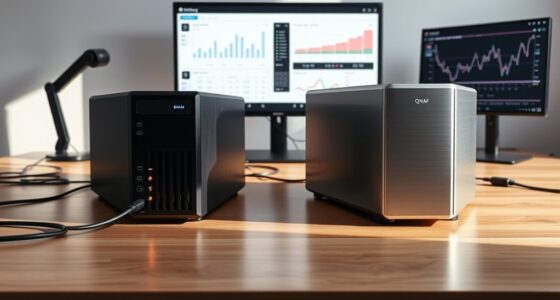
Choosing a smart UPS for a small business means balancing power capacity, monitoring, installation space, and the time needed to shut down safely. I rank the APC Smart-UPS SMC1500C first for cloud monitoring and business-friendly voltage regulation, while the CyberPower PR1500LCD is the stronger fit for equipment that benefits from sine wave output and higher stated wattage capacity. For a compact rack, the CyberPower CP1500PFCRM2U trades some outlet flexibility for a short-depth rack design.

Get business pricing on networking and server gear
- Business-only prices and quantity discounts
- Tax-exempt purchasing
- Multiple users, one account, clear invoices
The key differences are practical: tower models suit desks and wiring closets, rack units fit server furniture, and smaller-capacity options are better for a modem, switch, or single server than an entire office. Runtime figures listed for these models are short at full load, so I treat them as a bridge to orderly shutdown—not as a promise of long operation during an outage. My ranking favors a useful mix of business monitoring, output suitability, and fit, while calling out where each choice asks buyers to compromise.
Key Takeaways
- The APC SMC1500C is my lead pick for small businesses that want cloud monitoring, voltage regulation, and 1500VA capacity in a tower.
- The CyberPower PR1500LCD is the lineup’s strongest stated wattage option at 1500W and provides sine wave output, but its full-load runtime is listed at about four minutes.
- The CP1500PFCRM2U is the rack-focused choice for short-depth installations; its 1000W rating and eight outlets make load planning important.
- The CP1500AVRLCD3 offers 12 outlets and a readable color LCD, but its simulated sine wave output and short listed full-load runtime limit its appeal for some server loads.
- The OR500LCDRM1U is a compact 300W rack option for a few network devices, not a substitute for a higher-capacity UPS protecting a larger equipment stack.
| APC Smart-UPS 1500VA/900W Line Interactive UPS with SmartConnect, SMC1500C |  | Best Overall for Remote Business Monitoring | Capacity: 1500VA / 900W | Output: 120V | Outlets: 8 total; 6 listed with battery backup | VIEW ON AMAZON | See Our Full Breakdown |
| CyberPower PR1500LCD Smart App Sinewave UPS Battery Backup |  | Best for Higher-Wattage Sine Wave Backup | Capacity: 1500VA / 1500W | Output: 120V sine wave | Outlets: 8 | VIEW ON AMAZON | See Our Full Breakdown |
| CyberPower CP1500PFCRM2U PFC Sinewave UPS Battery Backup |  | Best Short-Depth Rackmount Pick | Capacity: 1500VA / 1000W | Output: 120V sine wave | Outlets: 8 | VIEW ON AMAZON | See Our Full Breakdown |
| CyberPower CP1500AVRLCD3 Intelligent LCD UPS Battery Backup |  | Best Outlet Count and Easy Local Status | Capacity: 1500VA / 900W | Output: 120V simulated sine wave | Outlets: 12 | VIEW ON AMAZON | See Our Full Breakdown |
| CyberPower OR500LCDRM1U Smart App LCD UPS Battery Backup |  | Best Compact Rack UPS for Network Essentials | Capacity: 500VA / 300W | Output: 120V simulated sine wave | Outlets: 6 | VIEW ON AMAZON | See Our Full Breakdown |
| smart ups systems for small businesse | Capacity | Output | Outlets | Form factor |
|---|---|---|---|---|
| APC Smart-UPS 1500VA/900W Line | 1500VA / 900W | 120V | 8 total; 6 listed with battery backup | Tower |
| CyberPower PR1500LCD Smart App | 1500VA / 1500W | 120V sine wave | 8 | Mini-tower |
| CyberPower CP1500PFCRM2U PFC S | 1500VA / 1000W | 120V sine wave | 8 | Rackmount, short-depth |
| CyberPower CP1500AVRLCD3 Intel | 1500VA / 900W | 120V simulated sine wave | 12 | Mini-tower |
| CyberPower OR500LCDRM1U Smart | 500VA / 300W | 120V simulated sine wave | 6 | 1U rackmount |
More Details on Our Top Picks
APC Smart-UPS 1500VA/900W Line Interactive UPS with SmartConnect, SMC1500C
I put the APC Smart-UPS SMC1500C first because it combines 1500VA/900W capacity with SmartConnect cloud monitoring, automatic voltage regulation, and a tower form that suits many small offices and wiring closets. Remote alerts can help an owner or IT provider notice a power or UPS issue without being beside the unit. That practical visibility gives it an advantage over the LCD-only monitoring emphasis of the CyberPower CP1500AVRLCD3 and the CyberPower PR1500LCD.
Automatic voltage regulation helps address voltage fluctuations without relying on battery power for every correction, while surge protection adds another layer for connected equipment. The tradeoff is a 900W ceiling: the PR1500LCD has a higher stated 1500W output, so businesses with a heavier server load should compare their actual watt draw before choosing. The APC listing specifies eight outlets but says only six provide battery backup, a distinction worth checking when assigning critical devices.
This is a substantial, heavy tower rather than a discreet desk accessory, and its battery may need replacement after roughly three years. I would choose it for a small business that values remote status and needs backup for a moderate server or network load. I would skip it if the priority is rack mounting, more wattage headroom, or backup for a large collection of devices.
Pros:- SmartConnect cloud monitoring and proactive alerts
- Automatic voltage regulation and surge protection
- 1500VA capacity for small-business equipment
- Intelligent battery management
Cons:- Only six of the eight outlets are listed as battery-backed
- 900W output may not suit heavier equipment loads
- Large, heavy tower; battery replacement may be needed after about three years
Best for: Small offices that want cloud-based UPS visibility for a server, network stack, or other moderate business load.
Not ideal for: Businesses needing rack mounting, more than 900W of capacity, or battery backup at every connected outlet.
- Capacity:1500VA / 900W
- Output:120V
- Outlets:8 total; 6 listed with battery backup
- Monitoring:SmartConnect cloud monitoring
- Form factor:Tower
- Dimensions:17.28 x 6.73 x 8.62 inches
- Weight:20.1 kg
- Warranty:2 years; battery coverage listed as 2 years
Our verdict“I recommend the SMC1500C as the most balanced business pick when remote monitoring matters more than rack fit or maximum wattage.”
CyberPower PR1500LCD Smart App Sinewave UPS Battery Backup
The CyberPower PR1500LCD is my pick when output capability and sine wave power matter more than cloud monitoring. Its listed 1500VA/1500W capacity is higher in watts than the APC SMC1500C’s 900W rating, giving a business more stated room for a demanding server or storage setup. Sine wave output also distinguishes it from the simulated-sine CP1500AVRLCD3 and OR500LCDRM1U.
A removable LCD panel makes local status checks more flexible, and automatic voltage regulation can help manage voltage swings without drawing on the battery for every correction. It has eight outlets and surge protection, but the listed runtime at full load is only about four minutes. That makes it best understood as short-duration backup for shutdown or brief interruptions, not a way to keep a full server rack running through an extended outage. Remote management also requires an optional card, unlike the APC model’s cloud-monitoring emphasis.
The listed weight is unusually low for a unit of this class, so I would confirm the exact configuration and current manufacturer documentation before planning a shelf or handling routine around that figure. For a business that needs the highest stated wattage in this group and sine wave output in a tower, it is a stronger fit than the APC. Skip it if you need built-in remote oversight or long runtime at high load.
Pros:- 1500VA/1500W stated capacity, highest wattage rating in this lineup
- Sine wave output for compatible sensitive equipment
- Removable LCD panel for local status checks
- Automatic voltage regulation and surge protection
Cons:- About four minutes of runtime is listed at full load
- Remote management card is sold separately
- Eight outlets may constrain larger equipment groups
Best for: Small businesses with a higher-wattage server or storage load that calls for sine wave output and local LCD status.
Not ideal for: Buyers who need built-in cloud monitoring, extended full-load runtime, or a rackmount chassis.
- Capacity:1500VA / 1500W
- Output:120V sine wave
- Outlets:8
- Runtime:About 4 minutes at full load, as listed
- Form factor:Mini-tower
- Display:Removable LCD panel
- Battery life:Average listed as 3 years
- Temperature range:32°F to 104°F
Our verdict“I would choose the PR1500LCD over the APC when sine wave output and stated wattage headroom outrank built-in cloud visibility.”
CyberPower CP1500PFCRM2U PFC Sinewave UPS Battery Backup
For a business that already keeps networking equipment in a rack, the CyberPower CP1500PFCRM2U offers a more fitting shape than the APC or PR1500LCD towers. Its short-depth rack design is aimed at installations where a full-depth UPS would be awkward, and sine wave output makes it a better match for compatible active-PFC power supplies than the simulated-sine rack OR500LCDRM1U.
The 1500VA/1000W rating places it between the APC’s 900W and PR1500LCD’s 1500W on stated wattage. That can suit a modest rack of network and server equipment, but its eight outlets require deliberate load planning. The color LCD provides local status, and automatic voltage regulation helps reduce unnecessary battery use during voltage changes. Its full-load runtime is listed at around three minutes, so I would size the connected load carefully and plan for automatic shutdown or a fast manual response.
This is a space-led rack choice, not the best general-purpose option for every small business. Compared with the CP1500AVRLCD3, it trades the tower’s 12 outlets for rack installation and sine wave output. It is also heavier to handle than a casual desktop unit and uses lead-acid batteries that may need replacement over time. Choose it when rack fit is a real requirement; otherwise, a tower gives more placement flexibility.
Pros:- Short-depth rack form fits compact installations
- Sine wave output suits compatible active-PFC equipment
- Color LCD displays status and alerts
- Automatic voltage regulation and surge protection
Cons:- Only eight outlets
- Full-load runtime is listed at about three minutes
- Lead-acid battery may require replacement over time
Best for: Small businesses with a short-depth rack and a moderate load of servers or network devices needing sine wave output.
Not ideal for: Offices without rack furniture, businesses needing many outlets, or users expecting extended backup at full load.
- Capacity:1500VA / 1000W
- Output:120V sine wave
- Outlets:8
- Form factor:Rackmount, short-depth
- Battery type:Lead acid
- Runtime:About 3 minutes at full load, as listed
- Battery charge time:8 hours
- Temperature range:32°F to 104°F
Our verdict“I recommend the CP1500PFCRM2U when short-depth rack fit and sine wave output matter more than tower flexibility or outlet count.”
CyberPower CP1500AVRLCD3 Intelligent LCD UPS Battery Backup
The CyberPower CP1500AVRLCD3 makes sense for a small office that wants a straightforward tower with a status screen and more connection points. Its 12 outlets exceed the eight found on the APC SMC1500C, PR1500LCD, and CP1500PFCRM2U, giving a buyer more flexibility for a mixed set of computer, network, and peripheral devices. The color LCD also makes it easier to check operating status at the unit than the remote-first APC approach.
It provides 1500VA/900W capacity, automatic voltage regulation, surge protection, and USB charging ports. The limitation is its simulated sine wave output, which may not be the right choice for every sensitive server or power supply. The PR1500LCD and CP1500PFCRM2U offer sine wave output, so I would compare equipment requirements before choosing this model for a critical server. The listing gives a full-load runtime of about three minutes, which is brief even for orderly shutdown planning.
Its mini-tower format is easier to place than a rack unit, but at 23.8 pounds it is not especially light. I rank it below the APC because it lacks the same cloud-monitoring distinction, and below the sine wave models for sensitive equipment. Still, for a general office needing many outlets and clear local readouts, it fills a useful role without demanding rack infrastructure.
Pros:- 12 outlets provide more connection flexibility than the other listed models
- Color LCD shows real-time status
- Automatic voltage regulation and surge protection
- USB charging ports add convenience for small devices
Cons:- Simulated sine wave output may not suit every server or power supply
- About three minutes of full-load runtime is listed
- Heavy for a mini-tower at 23.8 pounds
Best for: Small offices that need a tower UPS with many outlets, local LCD status, and backup for computers and networking gear.
Not ideal for: Businesses whose equipment specifies sine wave output or whose connected load needs more than 900W.
- Capacity:1500VA / 900W
- Output:120V simulated sine wave
- Outlets:12
- Form factor:Mini-tower
- Display:Color LCD
- Battery charge time:8 hours
- Runtime:About 3 minutes at full load, as listed
- Warranty:3 years
Our verdict“I would choose the CP1500AVRLCD3 for outlet flexibility and readable local status when simulated sine wave output suits the connected equipment.”
CyberPower OR500LCDRM1U Smart App LCD UPS Battery Backup
The CyberPower OR500LCDRM1U is the smallest-capacity option here, and that is exactly why it has a distinct place in the lineup. Its 1U rackmount format and 300W rating suit a modem, router, switch, or a modest network bundle better than a server-heavy setup. Compared with the CP1500PFCRM2U, it occupies a more compact rack position but gives up substantial capacity and sine wave output.
A multifunction LCD, automatic voltage regulation, and surge protection provide useful local oversight for a small network installation. However, this model uses simulated sine wave output and has only six outlets. The listed full-load runtime is about three minutes, so it is not a fit for businesses expecting equipment to remain online through a prolonged outage. Remote management needs an optional card, whereas the APC SMC1500C makes cloud monitoring a central selling point.
The metal enclosure is a practical detail for rack deployment, but the modest power ceiling defines its limits more than any extra feature. I would use it for essential low-draw network devices or a small edge installation, not as the sole UPS for a server room. Buyers who need more headroom should move up to the CP1500PFCRM2U or choose a tower such as the APC, depending on their monitoring needs.
Pros:- Compact 1U rackmount design
- LCD panel shows local operating information
- Automatic voltage regulation and surge protection
- Metal enclosure and UL certification
Cons:- 300W capacity is the lowest in this comparison
- Simulated sine wave output
- Remote management requires an optional card; listed full-load runtime is about three minutes
Best for: Small businesses that need a compact rack UPS for a low-draw router, switch, modem, or network edge setup.
Not ideal for: Businesses backing up servers or multiple high-draw devices, or those requiring sine wave output or built-in remote monitoring.
- Capacity:500VA / 300W
- Output:120V simulated sine wave
- Outlets:6
- Form factor:1U rackmount
- Battery type:Lead acid
- Runtime:About 3 minutes at full load, as listed
- Enclosure:Metal
- Management:Optional management card required for remote management
Our verdict“I recommend the OR500LCDRM1U only for a low-draw rack network load where compact size matters more than capacity.”

How We Picked
I ranked these systems around the needs that separate a small-business UPS from a basic home backup unit: usable capacity, output type, monitoring, and installation fit. Capacity matters because a UPS should support the equipment that actually needs to stay online, with room to avoid running at its limit. Output type matters for sensitive electronics and power supplies; the CyberPower PR1500LCD and CP1500PFCRM2U offer sine wave output, while the CP1500AVRLCD3 and OR500LCDRM1U use simulated sine wave output.
I also weighed how a business owner can check status and respond to problems. The APC model’s cloud monitoring gives it a useful remote-management distinction, while several CyberPower models provide local LCD status information. Rack format is a strong advantage only when a business already has suitable rack space; otherwise, a tower may be easier to place. I used the supplied product details and treated runtime claims cautiously, since full-load figures are short and actual runtime changes with connected equipment and battery condition.
My order favors the broadest small-business fit first, then specialist strengths. That means the APC leads for its balance of capacity and remote visibility, the PR1500LCD follows for its high stated wattage and sine wave output, and the rack models are ranked by how well their capacity suits a defined installation. The CP1500AVRLCD3 earns a place for outlet count and accessible status display, while the OR500LCDRM1U is last because its 300W ceiling makes it a targeted network backup rather than a general office system.
| smart ups systems for small businesse | Runtime |
|---|---|
| APC Smart-UPS 1500VA/900W Line | — |
| CyberPower PR1500LCD Smart App | About 4 minutes at full load, as listed |
| CyberPower CP1500PFCRM2U PFC S | About 3 minutes at full load, as listed |
| CyberPower CP1500AVRLCD3 Intel | About 3 minutes at full load, as listed |
| CyberPower OR500LCDRM1U Smart | About 3 minutes at full load, as listed |
Factors to Consider When Choosing Smart Ups Systems For Small Businesses
I would start by listing the equipment that must stay powered, then compare that load with the UPS watt rating—not just its VA number. The right pick depends on whether the business needs remote oversight, rack mounting, sine wave output, or simply a short window to shut down cleanly.
Size by watts and connected equipment
Write down the devices that need battery backup and their power draw, including a server, storage device, router, and network switch if each must remain available. Compare that total with the UPS’s watt capacity, leaving headroom rather than running at the limit. In this group, the PR1500LCD is listed at 1500W, the CP1500PFCRM2U at 1000W, the APC and CP1500AVRLCD3 at 900W, and the OR500LCDRM1U at 300W. A higher VA figure does not make those watt ratings interchangeable.
Match waveform to the equipment
Two models here specify sine wave output: the PR1500LCD and CP1500PFCRM2U. That may be preferable for compatible active-PFC power supplies and sensitive equipment, but buyers should check the equipment manufacturer’s requirements. The CP1500AVRLCD3 and OR500LCDRM1U use simulated sine wave output, which may work for many general devices but should not be assumed suitable for every server. The product details provided for the APC SMC1500C do not specify its waveform, so confirm that point if it is a deciding requirement.
Choose monitoring for your response plan
A display tells someone standing nearby what the UPS is doing; remote monitoring can help when nobody is in the wiring closet. The APC SMC1500C is differentiated by SmartConnect cloud monitoring and alerts. The CyberPower models provide LCD panels for local status, while the PR1500LCD and OR500LCDRM1U need an optional management card for remote capabilities as described in the supplied details. Decide who will receive alerts and who can act on them before paying for a feature that the business will not maintain.
Treat runtime as shutdown time, not an outage plan
The listed full-load runtime figures are about three to four minutes across the CyberPower units with stated runtime data. Actual duration varies with load and battery condition, but these figures point to a short backup window. A small business should check whether its server can shut down automatically through supported software or whether staff can respond quickly. If operations need to continue during a long outage, pair the UPS decision with a separate power-continuity plan rather than assuming a small UPS can carry the whole business.
Fit the unit to the room and rack
Tower models such as the APC SMC1500C, PR1500LCD, and CP1500AVRLCD3 suit desks, shelves, or wiring closets when there is secure floor or shelf space. Rack models belong in compatible rack furniture: the CP1500PFCRM2U targets short-depth installations, while the OR500LCDRM1U is a compact 1U option with much less capacity. Check rack depth, ventilation, outlet access, and the weight the shelf can support. A rack form is not automatically more convenient if the office has no rack to house it.
Plan for battery service and outlet assignment
UPS batteries are consumable components, and the product information gives roughly three years as an average or expected battery life for several models. Build periodic battery checks and eventual replacement into the maintenance plan. Also map which outlets provide battery backup versus surge protection only; the APC listing, for example, says six of its eight outlets have battery backup. Use backed-up outlets for critical equipment first, and avoid connecting nonessential devices that consume capacity without supporting business continuity.
Frequently Asked Questions
Which UPS in this group is best for a small business overall?
I rank the APC Smart-UPS SMC1500C first for a general small-business setup because it combines 1500VA/900W capacity, automatic voltage regulation, and SmartConnect cloud monitoring. It is especially suited to owners who want remote status alerts. A business with a higher watt draw or a firm sine wave requirement may be better served by the CyberPower PR1500LCD or CP1500PFCRM2U instead.
Do these UPS systems keep equipment running for a long outage?
No listed runtime here should be treated as long-duration power. The supplied figures for several CyberPower models are about three to four minutes at full load, a window more suited to orderly shutdown or a brief interruption. Actual runtime depends on the connected load and battery condition. If equipment must operate through extended outages, plan for another power source and verify runtime under the intended load.
Should I choose sine wave or simulated sine wave output?
Start with the requirements for the equipment being protected. The PR1500LCD and CP1500PFCRM2U specify sine wave output, while the CP1500AVRLCD3 and OR500LCDRM1U specify simulated sine wave output. Some sensitive equipment or active-PFC power supplies may call for sine wave output, but compatibility varies. Check device documentation rather than relying on a general rule, and confirm the APC model’s waveform if that detail matters.
Is a rackmount UPS better than a tower UPS?
Neither format is universally better. A rackmount unit makes sense when a business already has a compatible rack and wants equipment consolidated in that space. The CP1500PFCRM2U is the stronger rack pick here for a moderate load, while the OR500LCDRM1U is aimed at low-draw network devices. Tower models are easier to place in offices without rack furniture and include options with cloud monitoring or more outlets.
How should I decide what to plug into battery-backed outlets?
Prioritize the equipment needed to maintain or close down business operations: typically a server or storage device, router, and essential network switch. Check the total watt draw against the UPS rating and confirm which outlets actually provide battery backup. The APC listing identifies six battery-backed outlets out of eight total. Avoid filling outlets with nonessential equipment before critical devices have been assigned and the load has been checked.
Conclusion
For a small business that wants remote monitoring and a balanced tower setup, I would start with the APC Smart-UPS SMC1500C. If the connected equipment calls for sine wave output and higher stated wattage, the CyberPower PR1500LCD is the stronger tower alternative. Businesses already using short-depth racks should compare the CP1500PFCRM2U, while the CP1500AVRLCD3 suits offices that value 12 outlets and a clear local display. I would reserve the OR500LCDRM1U for a modest rack network load rather than a server-heavy installation.
Whichever model fits, I would size it around the real watt load, check waveform requirements, and plan for battery service and orderly shutdown. These systems are best viewed as power protection and response tools, not replacements for a long-duration backup power plan.
Halloween Picks
halloween
As an affiliate, we earn on qualifying purchases.