For most PoE deployments, I’d start with the Ubiquiti U6+: it combines WiFi 6 with a straightforward ceiling- or wall-mounted access point format. The Omada BE5000 stands out for buyers who want a newer wireless generation and a 2.5G port, while the Omada EAP225-Outdoor is the purpose-built choice for extending coverage outside. The main tradeoffs are wireless generation, wired-port capacity, management ecosystem, and whether an injector or power adapter is included. A faster access point can still be limited by a slower switch, client devices, or a congested layout. Read on for my full comparison and guidance on matching an AP to your PoE setup.

Get business pricing on networking and server gear
- Business-only prices and quantity discounts
- Tax-exempt purchasing
- Multiple users, one account, clear invoices
Key Takeaways
- Ubiquiti U6+ is the strongest general-purpose fit in this lineup because it pairs WiFi 6 with a practical standalone access-point form factor.
- The Omada BE5000 is the most forward-looking wired option here, with a 2.5G port; buyers need compatible upstream networking to make use of that link capacity.
- The Omada EAP225-Outdoor is the clear choice for outdoor coverage, while the indoor EAP225 models are not substitutes for weather-ready hardware.
- Included power gear differs across the list: several models come with an adapter or injector, but buyers should check the exact bundle rather than assume PoE accessories are included.
- The nanoHD and NETGEAR WAX210PA can suit narrower needs, but the newer WiFi 6 and WiFi 7 options are better starting points for buyers planning a fresh indoor deployment.
| Ubiquiti UniFi nanoHD Compact 802.11ac Wave2 MU-MIMO Enterprise Access Point | 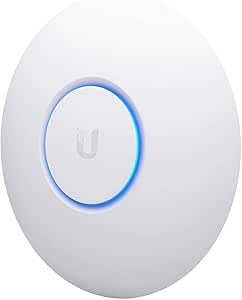 | Best for Compact High-Density PoE | Wireless standard: 802.11ac Wave 2 | Frequency bands: Dual-band | Maximum data transfer rate: 1733 Mbps | VIEW ON AMAZON | See Our Full Breakdown |
| Omada AX3000 Wireless Access Point with DC Adapter and 5-Year Warranty |  | Best for Flexible Power Options | Wireless standard: Wi-Fi 6 (802.11ax) | Maximum speed: 2976 Mbps | Frequency bands: Dual-band | VIEW ON AMAZON | See Our Full Breakdown |
| Omada 7, BE5000 Wireless Access Point, 2.5G Port, with DC Adapter |  | Best Wi-Fi 7 Upgrade for PoE | Wireless standard: Wi-Fi 7 | Maximum speed: 5.0 Gbps | Frequency bands: 2.4 GHz and 5 GHz | VIEW ON AMAZON | See Our Full Breakdown |
| NETGEAR 1.8 Gbps WiFi 6 Wireless Access Point with Power Adapter (WAX210PA) |  | Best for Small-Business Simplicity | Wireless standard: Wi-Fi 6 | Maximum Wi-Fi speed: 1800 Mbps | Frequency bands: 2.4 GHz and 5 GHz | VIEW ON AMAZON | See Our Full Breakdown |
| Ubiquiti U6+ Dual Band IEEE 802.11 a/b/g/n/ac/ax Wireless Access Point | 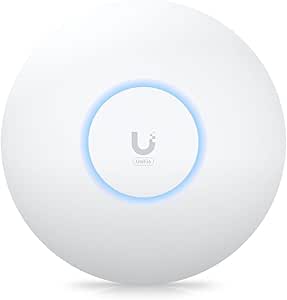 | Best Overall Wi-Fi 6 PoE Pick | Wireless standards: 802.11 a/b/g/n/ac/ax | Maximum data transfer rate: 3 Gbit/s | Frequency bands: 2.4 GHz and 5 GHz | VIEW ON AMAZON | See Our Full Breakdown |
| Omada AC1350 Wireless Access Point with PoE Injector and 5-Year Warranty (EAP225) |  | Best Value for Indoor PoE | Wi-Fi standard: 802.11ac (Wi-Fi 5) | Maximum wireless rate: 1350 Mbps | Frequency bands: 2.4 GHz and 5 GHz | VIEW ON AMAZON | See Our Full Breakdown |
| Omada AC1200 Outdoor Wireless Access Point with PoE Injector (EAP225-Outdoor) |  | Best for Outdoor PoE Coverage | Wireless speed: Up to 1200 Mbps | Frequency bands: 2.4 GHz and 5 GHz | Enclosure: IP65-rated | VIEW ON AMAZON | See Our Full Breakdown |
| wifi access points for poe deployment | Frequency bands | Wireless standard |
|---|---|---|
| Ubiquiti UniFi nanoHD Compact | Dual-band | 802.11ac Wave 2 |
| Omada AX3000 Wireless Access P | Dual-band | Wi-Fi 6 (802.11ax) |
| Omada 7 | 2.4 GHz and 5 GHz | Wi-Fi 7 |
| NETGEAR 1.8 Gbps WiFi 6 Wirele | 2.4 GHz and 5 GHz | Wi-Fi 6 |
| Ubiquiti U6+ Dual Band IEEE 80 | 2.4 GHz and 5 GHz | — |
| Omada AC1350 Wireless Access P | 2.4 GHz and 5 GHz | — |
| Omada AC1200 Outdoor Wireless | 2.4 GHz and 5 GHz | — |
More Details on Our Top Picks
Ubiquiti UniFi nanoHD Compact 802.11ac Wave2 MU-MIMO Enterprise Access Point
The UniFi nanoHD suits installations where a compact ceiling access point needs to serve many users, such as a busy meeting room. Its 802.11ac Wave 2 MU-MIMO and dual-band design are aimed at sharing airtime across connected devices, while 802.3af PoE lets a compatible switch carry power and data over one cable. Compared with the newer Ubiquiti U6+, the nanoHD lacks Wi-Fi 6, so it is a less future-facing choice for newer client devices. Its advantage is a compact form and modest PoE requirement. The tradeoff is that deployment depends on PoE equipment, and the listed WPA/WPA2 security protocols are less current than WPA3 options on the Omada AX3000 and NETGEAR WAX210PA. Choose it for a discreet, established UniFi setup, not a new network built around the latest wireless standard.
Pros:- 802.3af PoE carries power and network data over a single Ethernet run.
- Compact 6.3-inch-square form supports discreet ceiling or wall placement.
- MU-MIMO and dual-band Wi-Fi suit environments with many connected clients.
- Two listed Ethernet ports provide more connection options than single-port alternatives such as the Omada AX3000.
Cons:- Uses Wi-Fi 5 rather than the Wi-Fi 6 standard in the U6+ and NETGEAR WAX210PA.
- Power deployment depends on a compatible PoE switch or other suitable PoE source.
- The listed security protocols are WPA and WPA2; WPA3 is not specified.
Best for: Small offices or meeting rooms with a UniFi-managed network, a compatible 802.3af PoE switch, and many connected devices.
Not ideal for: Buyers building a Wi-Fi 6 or Wi-Fi 7 network, or anyone without PoE switching who wants to avoid adding power hardware.
- Wireless standard:802.11ac Wave 2
- Frequency bands:Dual-band
- Maximum data transfer rate:1733 Mbps
- PoE compatibility:802.3af
- Antennas:4 internal antennas
- Ports:2 Ethernet ports
- Dimensions:6.3 × 6.3 × 1.3 in
- Security protocols:WPA, WPA2
Our verdict“Choose the nanoHD for a compact, PoE-powered high-density UniFi installation, but pick the U6+ if Wi-Fi 6 matters more than its small footprint.”
Omada AX3000 Wireless Access Point with DC Adapter and 5-Year Warranty
The Omada AX3000 is a practical fit for offices that want Wi-Fi 6 without tying every installation to a PoE switch: it accepts 802.3at PoE+, passive PoE, or 12V DC. That range makes it easier to place the access point where cabling or power infrastructure varies. Its stated 2976 Mbps combined speed and WPA3 support also make it more current than the Wi-Fi 5 UniFi nanoHD. Mesh and roaming features can help coordinate coverage across a multi-AP site, but they rely on Omada SDN controllers, so this is not the simplest standalone choice. Compared with the newer Omada BE5000, it gives up Wi-Fi 7 and a 2.5G port. In return, buyers get flexible power input and a five-year warranty. Its internal antenna design may be limiting in large or awkwardly shaped spaces.
Pros:- Accepts 802.3at PoE+, passive PoE, or 12V DC for varied installation setups.
- Wi-Fi 6 and WPA3 support suit newer devices and security requirements.
- Mesh and roaming support can coordinate multiple APs when used with Omada SDN controllers.
- Five-year warranty is specified.
Cons:- Mesh and roaming features require Omada SDN controller support.
- One Ethernet port offers fewer wired connection options than the nanoHD’s listed two ports.
- Internal antenna design may not suit large areas or locations that need more targeted coverage.
Best for: Small offices, hotels, or schools mixing PoE and DC-powered installations and planning to manage multiple access points through Omada SDN.
Not ideal for: Buyers seeking a standalone plug-and-play AP, Wi-Fi 7, or more range flexibility for a large space.
- Wireless standard:Wi-Fi 6 (802.11ax)
- Maximum speed:2976 Mbps
- Frequency bands:Dual-band
- Power options:802.3at PoE+, passive PoE, 12V DC
- Ports:1
- Security protocols:WPA3, WPA2
- Management:Cloud-based, hardware, or software controller
- Warranty:5 years
Our verdict“Pick the AX3000 if Wi-Fi 6 and flexible PoE-or-DC power matter more than the BE5000’s Wi-Fi 7 and 2.5G port.”
Omada 7, BE5000 Wireless Access Point, 2.5G Port, with DC Adapter
For a business investing in newer wireless infrastructure, the Omada BE5000 brings Wi-Fi 7 and a 2.5G Ethernet port—a stronger wired match for fast multi-gigabit service than the Gigabit ports listed for the Ubiquiti U6+ and NETGEAR WAX210PA. It supports 802.3at PoE or DC power, so an existing compatible PoE+ switch can simplify a ceiling installation, while DC remains an alternative where PoE is unavailable. The product data lists support for 250+ clients, making it the most capacity-oriented option in this group. That headroom only pays off if the rest of the network can use it: a gigabit uplink or older clients can narrow the benefit. Compared with the Omada AX3000, this is a more advanced and faster-generation choice, but its setup and infrastructure demands are greater.
Pros:- Wi-Fi 7 supports a newer wireless generation than the Wi-Fi 6 AX3000 and U6+.
- 2.5G Ethernet port can avoid a Gigabit uplink bottleneck when paired with compatible infrastructure.
- 802.3at PoE or DC power gives installers more than one deployment option.
- Listed support for 250+ clients suits busy business environments.
Cons:- Wi-Fi 7 and the 2.5G port need compatible switches, cabling, and client devices to deliver their full value.
- Advanced business management may take more setup than the NETGEAR WAX210PA’s small-business-oriented feature set.
- Dual-band specification does not include a 6 GHz band.
Best for: Businesses upgrading switches and client devices for Wi-Fi 7, with PoE+ available and a need to support a large client count.
Not ideal for: Home users or small offices with Gigabit-only networking, limited IT support, or no need for Wi-Fi 7 capacity.
- Wireless standard:Wi-Fi 7
- Maximum speed:5.0 Gbps
- Frequency bands:2.4 GHz and 5 GHz
- Ethernet port:2.5G
- Power options:802.3at PoE or DC
- Listed client support:250+ devices
- Maximum power consumption:17.83 W
- Warranty:5 years
Our verdict“Choose the BE5000 for a PoE+-ready business network built around Wi-Fi 7 and multi-gigabit uplinks, not a Gigabit-only setup.”
NETGEAR 1.8 Gbps WiFi 6 Wireless Access Point with Power Adapter (WAX210PA)
The NETGEAR WAX210PA suits a small shop or office that needs to add wireless access to an existing wired network without buying a higher-capacity enterprise AP. It supports PoE or a power adapter, and its four SSIDs let an owner separate groups such as staff, guests, and connected equipment. Wi-Fi 6 and WPA3 provide a newer standard and security option than the nanoHD, while its stated limit of up to 30 active devices makes its intended scale clear. The tradeoff is a Gigabit Ethernet port: unlike the Omada BE5000’s 2.5G connection, it cannot match a multi-gigabit wired uplink. It also needs an existing router or gateway and covers a listed 1500 sq ft, so it is an access point for a bounded indoor area, not a complete network system.
Pros:- PoE or power-adapter operation supports different installation constraints.
- Four SSIDs help separate guest, staff, and device traffic.
- Wi-Fi 6 and WPA3 are specified for current wireless and security needs.
- A stated 30-device limit helps buyers gauge whether its scale fits a small site.
Cons:- Gigabit Ethernet is a slower wired connection than the BE5000’s 2.5G port.
- Requires an existing router or gateway and does not provide routing itself.
- Listed coverage is limited to 1500 sq ft, making it a poor fit for large or multi-floor spaces.
Best for: Retailers and small offices wanting PoE installation, separate SSIDs for staff and guests, and coverage for a modest device count.
Not ideal for: Large offices, high-density venues, or buyers who need a router built into the access point or a multi-gigabit Ethernet uplink.
- Wireless standard:Wi-Fi 6
- Maximum Wi-Fi speed:1800 Mbps
- Frequency bands:2.4 GHz and 5 GHz
- Ethernet port:1 Gbps
- Power options:Power adapter or PoE
- Number of SSIDs:4
- Listed active device support:Up to 30 devices
- Listed coverage:1500 sq ft
Our verdict“Choose the WAX210PA for a compact small-business PoE deployment with useful SSID separation, but not for large client loads or multi-gigabit networking.”
Ubiquiti U6+ Dual Band IEEE 802.11 a/b/g/n/ac/ax Wireless Access Point
The Ubiquiti U6+ is the balanced choice for a new PoE-powered business network: it supports Wi-Fi 6, lists speeds up to 3 Gbit/s, and draws 9 W while using a single Gigabit Ethernet connection. Its PoE+ support suits installations with a compatible switch and makes ceiling or wall placement practical without a separate power adapter. Compared with the older UniFi nanoHD, it adds Wi-Fi 6 and a broader list of supported standards; compared with the Omada BE5000, it is less demanding on the wired network but lacks Wi-Fi 7 and a 2.5G port. The U6+ is therefore a sensible middle ground rather than the fastest option here. Buyers should check switch PoE+ support and their UniFi management needs, as the provided product data does not detail warranty coverage or specific security protocols.
Pros:- Wi-Fi 6 support makes it a newer wireless choice than the UniFi nanoHD.
- PoE+ support and 9 W listed power consumption suit efficient wired deployment.
- Wall- and ceiling-mount options give installers flexibility.
- Listed coverage of 140 m² helps buyers judge its intended footprint.
Cons:- One Gigabit Ethernet port lacks the multi-gigabit capacity of the Omada BE5000.
- Requires a compatible PoE+ source for a single-cable installation.
- The supplied product data does not specify detailed warranty information or named security protocols.
Best for: Small and midsize offices with a UniFi setup, compatible PoE+ switching, and Wi-Fi 6 clients seeking a balanced single-Gigabit AP.
Not ideal for: Businesses planning a Wi-Fi 7 or 2.5G network, or buyers who need clearly specified warranty and WPA3 details before purchase.
- Wireless standards:802.11 a/b/g/n/ac/ax
- Maximum data transfer rate:3 Gbit/s
- Frequency bands:2.4 GHz and 5 GHz
- Ethernet port:1 Gigabit Ethernet
- PoE support:PoE+
- Power consumption:9 W
- Coverage area:140 m²
- Mounting options:Wall mountable, ceiling mountable
Our verdict“Pick the U6+ for a balanced Wi-Fi 6 UniFi deployment over PoE+, but choose the BE5000 if you need Wi-Fi 7 and a 2.5G uplink.”
Omada AC1350 Wireless Access Point with PoE Injector and 5-Year Warranty (EAP225)
I’d choose the Omada EAP225 for an indoor network where PoE flexibility and centralized management matter more than Wi-Fi 6 speeds. Its 802.3af and passive PoE support gives installers options when matching it to existing power equipment, while Omada SDN, mesh, and roaming features help manage multiple access points as a system. Compared with the outdoor EAP225-Outdoor, this model is intended for indoor placement and offers a higher stated wireless rate of 1350 Mbps rather than 1200 Mbps. It remains a Wi-Fi 5 access point, though, so buyers seeking newer standards or more headroom should compare it with the Omada AX3000 or U6+. Its single Gigabit Ethernet port also limits wired expansion, and real coverage and throughput depend on the building and client devices.
Pros:- Supports both 802.3af and passive PoE for flexible power planning
- Omada SDN management, mesh, and roaming features suit multi-access-point setups
- Dual-band Wi-Fi 5 with a stated maximum wireless rate of 1350 Mbps
- Five-year warranty
Cons:- Wi-Fi 5 offers less performance headroom than the Omada AX3000 and other Wi-Fi 6 options
- Indoor-only design is unsuitable for exposed outdoor locations
- One Gigabit Ethernet port provides no additional wired connection
Best for: Small offices, shops, and home-network owners who want an indoor PoE access point with Omada management, mesh support, and flexible power options.
Not ideal for: Buyers planning outdoor installation or prioritizing Wi-Fi 6 performance; this is an indoor Wi-Fi 5 model with one Gigabit Ethernet port.
- Wi-Fi standard:802.11ac (Wi-Fi 5)
- Maximum wireless rate:1350 Mbps
- Frequency bands:2.4 GHz and 5 GHz
- Ethernet:1 Gigabit Ethernet port
- PoE support:802.3af PoE and passive PoE
- Management:Omada SDN, app, and cloud management
- Mesh and roaming:Mesh support; 802.11k/v-compatible roaming
- Coverage:Indoor
- Warranty:5 years
Our verdict“Choose the EAP225 for managed indoor PoE networking on a Wi-Fi 5 budget, but pick a Wi-Fi 6 model if newer wireless capability is the priority.”
Omada AC1200 Outdoor Wireless Access Point with PoE Injector (EAP225-Outdoor)
For extending Wi-Fi beyond the building, I’d put the EAP225-Outdoor ahead of indoor options such as the Omada EAP225 because its IP65-rated enclosure is designed for weather exposure and its listed operating range spans -30°C to 70°C. PoE support across 802.3af/at and passive PoE can simplify mounting where running a power outlet is impractical. It also offers dual-band service, mesh, roaming, and up to 16 SSIDs, with Omada cloud or app control available alongside standalone operation. The tradeoff is a stated maximum wireless speed of 1200 Mbps, below the indoor EAP225’s 1350 Mbps, and just one LAN port. Buyers wanting newer Wi-Fi standards should compare it with Wi-Fi 6 choices such as the Ubiquiti U6+—but that does not replace this model’s stated outdoor protection.
Pros:- IP65-rated enclosure is suited to outdoor installation
- Supports 802.3af/at and passive PoE power options
- Dual-band mesh, roaming, and support for up to 16 SSIDs
- Can be managed through Omada Cloud or app, or used standalone
Cons:- Wi-Fi 5 and a 1200 Mbps stated maximum rate trail newer Wi-Fi 6 options
- Only one LAN port limits wired connectivity at the mounting location
- Full SDN feature set requires compatible Omada controllers
Best for: Small businesses, hospitality sites, and property owners extending managed Wi-Fi to patios, yards, or other outdoor areas using PoE.
Not ideal for: Buyers needing a high-capacity indoor Wi-Fi 6 access point, multiple wired ports, or full Omada SDN features without a compatible controller.
- Wireless speed:Up to 1200 Mbps
- Frequency bands:2.4 GHz and 5 GHz
- Enclosure:IP65-rated
- PoE support:802.3af/at and passive PoE
- Operating temperature:-30°C to 70°C
- LAN ports:1
- SSID capacity:Up to 16 SSIDs
- Management:Omada Cloud, app, or standalone
- Listed range:200m+ at 2.4 GHz; 300m+ at 5 GHz
Our verdict“Choose the EAP225-Outdoor when weather protection and PoE-powered outdoor coverage outweigh the appeal of a faster indoor Wi-Fi 6 access point.”

How We Picked
I ranked these access points around how well they fit a real PoE deployment, not just their advertised wireless speed. I weighed wireless generation, wired-port capability, deployment flexibility, included power accessories, and whether the model’s indoor or outdoor design matched its likely placement. I also considered management and ecosystem fit: an AP is easier to maintain when its controls work with the network the buyer already runs.
The Ubiquiti U6+ leads as the most balanced modern indoor option in this particular group. The Omada BE5000 ranks highly for its newer wireless standard and 2.5G port, but its advantages matter most in a compatible network. The EAP225-Outdoor earns a distinct role through its exterior-ready design, while the AC-generation models, nanoHD, and WAX210PA rank lower for buyers building a new network because their appeal is more tied to specific ecosystems, bundles, or existing hardware. I treated power accessories and placement suitability as practical factors, not minor extras.
Factors to Consider When Choosing Wifi Access Points For Poe Deployment
Choosing a PoE access point is a network-design decision as much as a wireless one. I’d check the power path, cabling, placement, and management plan before choosing by headline speed; these details often determine whether an installation works cleanly.
Match the AP to Your PoE Source
PoE is not a single interchangeable power standard, so check the access point’s requirements against the switch or injector you plan to use. A product bundle that includes an injector can simplify a one-AP installation, but it does not replace a PoE switch when you need centralized power for several units. Confirm whether the listed package includes an injector, a DC adapter, or both; product names and bundles can vary. A common mistake is buying an AP first and discovering that the existing switch cannot power it. If your switch has limited PoE capacity, calculate the combined load of all connected devices rather than counting ports alone. I’d choose the power source and cable route before fixing the mounting location.
Treat Wired Backhaul as a Performance Limit
Wireless capabilities only help when the rest of the network can carry the traffic. A 2.5G port, such as the one on the Omada BE5000, needs a compatible switch and suitable cabling to deliver a faster wired link than a standard gigabit connection. That extra capacity is most useful when many active clients share an AP or when local transfers and internet service can exceed gigabit throughput. For a small network with modest bandwidth needs, the faster port may add little practical value. Buyers sometimes focus on the AP’s combined WiFi speed while overlooking the uplink that connects it to the router. Match the port to your expected traffic and upgrade path, not just the largest number on the box.
Choose a Wireless Generation for Your Client Mix
WiFi 6 or WiFi 7 can help newer compatible devices, particularly when several clients compete for airtime, but older devices remain limited by their own radios. The WiFi 6 U6+ is a sensible modern baseline for many indoor networks, while the BE5000 targets buyers interested in a newer generation and higher-capacity wired connectivity. Older AC models can still make sense when extending an existing network or serving a light-duty area, but they are less compelling as the core of a new installation. Check which devices will connect and how many are active at once; a household of mostly older clients may not benefit much from the newest AP. Avoid replacing every access point just to match a single new device. A mixed deployment can be a more practical upgrade path.
Plan Coverage Through Placement, Not Spec Sheets
Walls, floors, furniture, neighboring networks, and mounting height all affect real coverage, so a single AP’s advertised range is not a reliable floor plan. Place indoor units where their signal can reach the areas that need service, and use additional wired APs rather than expecting one unit to cover multiple obstructed levels. Outdoor coverage calls for equipment designed for exterior conditions; the EAP225-Outdoor fills a different role from the indoor EAP225. A common mistake is mounting an indoor AP near a window to serve a yard, then expecting it to tolerate weather or deliver even outdoor coverage. For large or irregular spaces, sketch the building and likely cable routes before deciding how many APs to buy. Wired backhaul between APs also makes placement planning more predictable than relying on wireless repeating.
Check the Management Ecosystem Before You Expand
Access points can differ in how they are configured and monitored, so ecosystem fit matters when a network may grow. Before buying multiple units, confirm whether you can manage them through the interface or controller you already use, and whether that setup supports the settings you need. Mixing brands can work, but it may mean separate dashboards and less consistent roaming or policy management. That extra administration can outweigh a small hardware advantage in a home or small office. If you plan to add APs later, choose a family with a clear path for central configuration and firmware maintenance. For a single access point, simple local management may be enough; for several locations, centralized control becomes more useful.
Spend More Only When the Network Can Use It
A newer wireless standard or faster Ethernet port is worth paying for when your clients, internet connection, switch, and workload can benefit from it. If any of those pieces remain slower, the extra capability may sit unused. On the other hand, choosing a basic AC access point for a network you expect to expand can lead to an earlier replacement. Compare the cost of a more capable AP with the cost of the supporting switch and cabling it may require. Also account for the installation package: an included injector can reduce setup friction, while an adapter may be useful where PoE is unavailable but can leave centralized power management out of reach. I’d prioritize the complete network path over one standout specification.
Frequently Asked Questions
Can I power any of these access points from my existing PoE switch?
Not automatically. Check the exact power standard and input requirements for the access point, then compare them with the switch’s PoE support and available power budget. A port can support PoE yet still be unable to provide the power level a particular AP requires. If a model’s bundle includes an injector, that can power one unit without changing switches, though it adds another device and outlet or cable connection. Confirm the included accessories for the exact product package before ordering.
Should I choose the Omada BE5000 over the Ubiquiti U6+ for a new installation?
Choose the BE5000 if its newer wireless generation and 2.5G port match your clients, network traffic, and switch. The U6+ is the more straightforward choice if you want a modern WiFi 6 indoor AP and already prefer Ubiquiti’s ecosystem. A 2.5G port does not help much when the upstream switch and internet or local traffic remain below gigabit capacity. Management preference also matters if you plan to add more access points. I’d compare the full network path and administration setup rather than selecting by wireless generation alone.
Is an included PoE injector a good substitute for a PoE switch?
An injector can be a practical way to power one access point when your switch lacks PoE. It adds a separate power point and device, while a PoE switch centralizes power and can make several APs easier to manage. For a single unit, an included injector may be all you need, provided it matches the AP’s requirements. For a growing deployment, buying injectors one at a time can create clutter and complicate power cycling. Decide based on the number of planned devices and how centralized you want the installation to be.
Can I use the Omada EAP225-Outdoor to cover both a yard and the inside of my home?
It can serve an outdoor coverage need, but I would not treat one exterior-mounted AP as a guaranteed replacement for indoor access points. Building materials and exterior walls can weaken the signal, leaving uneven coverage inside. The EAP225-Outdoor’s main advantage is its outdoor-oriented role, not universal coverage from a single mounting point. If you need reliable service in several indoor rooms as well as the yard, a separate indoor AP may produce a more even layout. Plan around where clients connect, not simply the AP’s mounting position.
Does a WiFi 7 access point make sense if most of my devices use older WiFi?
It can make sense if you expect to add newer devices soon or want a longer-lived installation, but older clients will not gain capabilities they do not support. The AP can still serve them, though its newest features may go unused for now. You should also check whether the wired connection, switch, and internet service can benefit from the AP’s higher capacity. If the network is small and its clients are mostly older, a WiFi 6 option may be a better-balanced choice. Buy for the clients and traffic you expect, not for the standard name alone.
Conclusion
For most new indoor PoE deployments, I recommend the Ubiquiti U6+ as the best overall balance in this group. The Omada AC1350 EAP225 is the best value-oriented pick for a simpler AC network, while the Omada BE5000 is my best premium choice for buyers with compatible 2.5G networking and newer clients. Beginners who want a familiar, contained indoor setup should start with the U6+ or the EAP225 package after checking which power accessories are included. For outdoor coverage, choose the EAP225-Outdoor; for a compact older-generation Ubiquiti installation, the nanoHD has a more specific role. I’d pick the WAX210PA when its bundle and management fit your existing setup, rather than treating it as the default for every new network.