Think of a Network Interface Card as the bridge that keeps your digital world connected, silently working behind the scenes. It plays a crucial role in how your computer communicates with other devices, whether through wired or wireless links. Choosing the right NIC can be like finding the perfect fit for your network needs, impacting speed and reliability. So, what should you consider when selecting a NIC for peak performance?

Get business pricing on networking and server gear
- Business-only prices and quantity discounts
- Tax-exempt purchasing
- Multiple users, one account, clear invoices
Key Takeaways
- NICs enable computers to connect to LANs or the internet, acting as a bridge for data transmission.
- Wired NICs follow Ethernet standards like 10/100/1000Base-T for compatibility and optimal performance.
- Wireless NICs use Wi-Fi standards such as 802.11ac or ax, supporting wireless connectivity for mobile devices.
- Features include multiple ports, security options, and compatibility with existing hardware to meet diverse network needs.
- Choosing the right NIC ensures reliable, high-speed connections suitable for file sharing, streaming, and gaming.

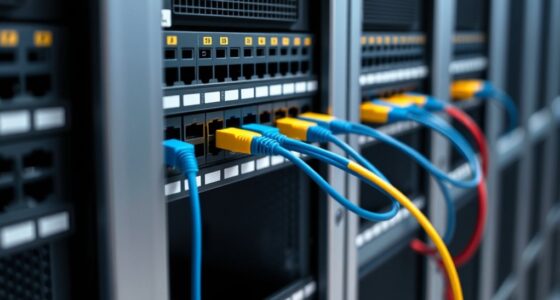
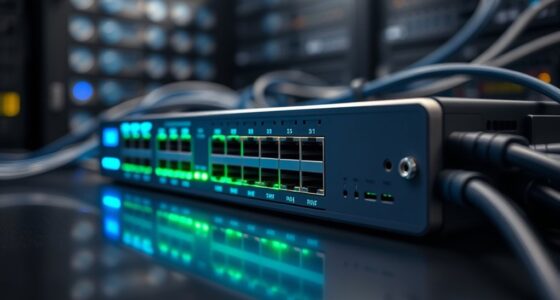
A network interface card (NIC) is a hardware component that enables your computer to connect to a network, whether it’s a local area network (LAN) or the internet. It acts as the bridge between your device and the network infrastructure, translating data into signals that can be transmitted over cables or wirelessly. NICs come in various forms, but their core function remains the same: facilitating communication between your computer and other devices or networks. Understanding Ethernet standards is vital when choosing a NIC. These standards define how data is transmitted over wired connections, guaranteeing compatibility and peak performance. For instance, Ethernet standards like 10BASE-T, Fast Ethernet (100BASE-TX), Gigabit Ethernet (1000BASE-T), and even 10-Gigabit Ethernet (10GBASE-T) specify data rates, cable types, and connector requirements. When you select a NIC, you’ll need to consider these standards to match your network’s speed and infrastructure, guaranteeing smooth data flow without bottlenecks. For example, if your network supports Gigabit Ethernet, you’d want a NIC that adheres to 1000BASE-T standards to take full advantage of the high transfer speeds. Wireless technologies have revolutionized how NICs connect to networks, especially for mobile devices and flexible setups. Wireless NICs, often built into laptops or available as USB adapters, use standards like Wi-Fi 5 (802.11ac), Wi-Fi 6 (802.11ax), and newer protocols to provide fast, reliable wireless connections. These standards specify factors like frequency bands, modulation techniques, and security protocols, which impact your connection’s speed and stability. When choosing a wireless NIC, you should consider the latest standards supported by your router to maximize performance and future-proof your setup. For example, Wi-Fi 6 offers higher data rates, lower latency, and better performance in congested environments compared to previous standards, making it an excellent choice if your device supports it. In addition to Ethernet standards and wireless technologies, NICs often include features like support for different connector types, multiple ports, and advanced security options. Whether you’re opting for a wired or wireless NIC, understanding these standards helps you select the right device to meet your network demands. Properly chosen NICs ensure fast, reliable connections, whether you’re transferring large files, streaming videos, or gaming online. Additionally, compatibility with existing hardware is an important factor to consider to ensure seamless integration and optimal performance in your network setup. Ultimately, your choice of NIC influences your overall network experience, so paying attention to Ethernet standards and wireless protocols guarantees you’re equipped for current and future networking needs.
Products Worth Considering

Logitech MX Mechanical Wireless Illuminated Keyboard, Tactile Quiet, Graphite

Apple AirPods Pro 3 Wireless Earbuds with Active Noise Cancellation

LG 34GX90SA-W 34-inch Ultragear WQHD OLED Curved Gaming Monitor
As an affiliate, we earn on qualifying purchases.
Frequently Asked Questions
How Do I Troubleshoot NIC Connectivity Issues Effectively?
To troubleshoot NIC connectivity issues, start by checking the physical cable connections and perform cable testing to make certain there’s no damage. Next, verify that your NIC drivers are up-to-date, as outdated drivers can cause connectivity problems. Restart your computer and disable then re-enable the NIC. If issues persist, use network diagnostic tools to identify potential hardware or configuration problems, and replace the NIC if necessary.
What Are the Signs of a Failing Network Interface Card?
Think of your NIC as the heartbeat of your network; when it starts failing, signs like intermittent connectivity, slow data transfer, or frequent disconnections emerge. You should run hardware diagnostics to spot issues early and verify driver updates are current, as outdated drivers can mimic hardware failure. If problems persist despite these steps, it’s likely your NIC is approaching its end, and replacing it becomes necessary to restore reliable network performance.
Can NICS Improve Network Security Beyond Basic Firewalls?
Yes, NICS can improve your network security beyond basic firewalls by supporting advanced encryption protocols, which protect data during transmission. They also enable intrusion detection features that monitor network traffic for suspicious activity, alerting you to potential threats. By leveraging these capabilities, you can strengthen your defenses, reduce vulnerabilities, and guarantee a more secure network environment. Upgrading your NICS makes it easier to implement extensive security measures.
How Do I Choose the Right NIC for My Server?
Did you know that choosing the right NIC can boost your server’s performance by up to 30%? To select the best one, consider your network speed needs—are you aiming for 1Gbps or 10Gbps? Also, check the port types, like RJ45 or SFP+, to guarantee compatibility with your setup. Focus on these factors to optimize speed, reliability, and future scalability for your server.
Are There Any Compatibility Concerns With Different Operating Systems?
Yes, compatibility concerns can arise with different operating systems. You need to check driver compatibility and OS support before purchasing a NIC. Some cards work seamlessly with Windows, while others are optimized for Linux or macOS. Always verify that the manufacturer provides updated drivers for your OS version. Doing this guarantees smooth installation, reliable performance, and minimizes potential issues related to driver compatibility and OS support.
Conclusion
With the right NIC, you’ll feel the pulse of your network, like a steady heartbeat guiding every click and transfer. It’s the quiet hero behind your streaming, gaming, and file sharing, quietly working in the background. When you choose wisely, you’ll experience a seamless flow—data rushing like a river, connections firm and reliable. Trust your NIC to keep your digital world moving smoothly, connecting you effortlessly to everything you need.